

On this page
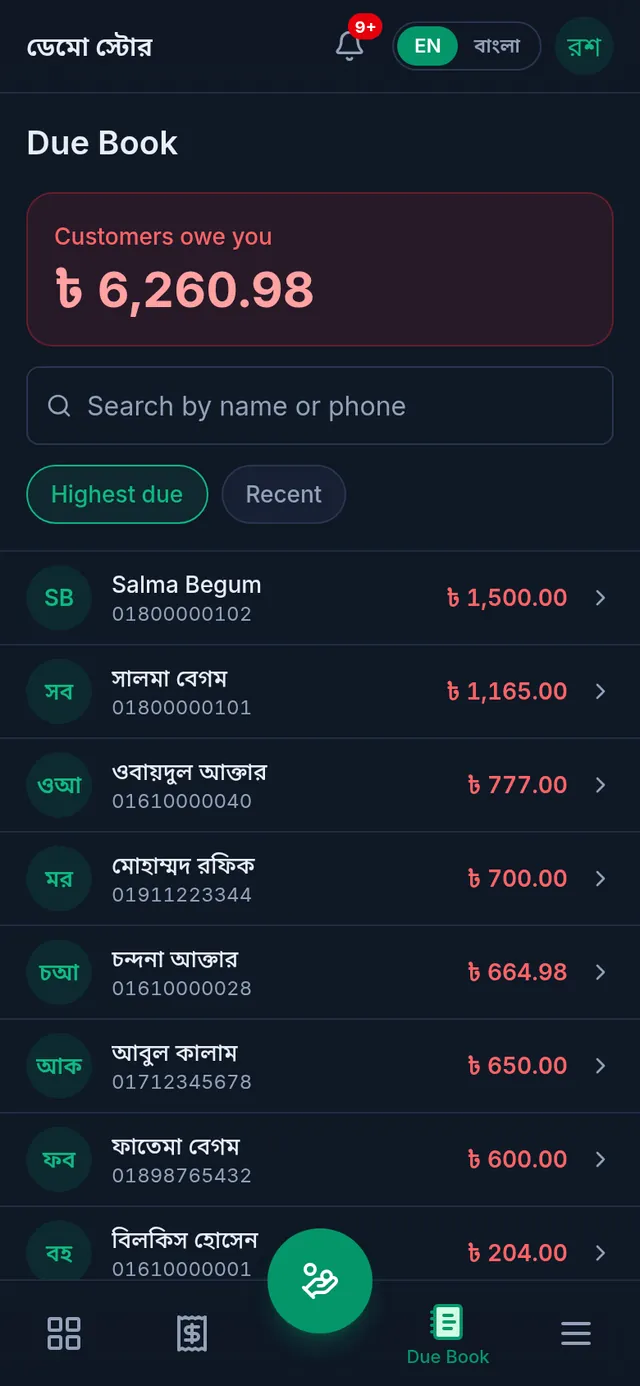
The Due Book shows at a glance how much your customers owe you in total, and who owes what. Every customer has their own খাতা: sales on due, previous dues and payments, each with its date and the balance after it. In বাংলা it is called তালি খাতা.
Before you begin
- The Owner, Admin and Staff roles can all see the Due Book.
- Dues come from sales on due, previous dues and credit given. Selling with a customer attached is all it takes: Sell on due.
Open the Due Book
- Open Due Book: in the menu on the left on a computer, in the bar at the bottom on a phone.
- Customers owe you at the top is the total all customers owe you.
- The list shows only customers whose balance is not zero. A red amount means the customer owes you; green means you hold an advance from them.
- Search by name or phone number. Highest due puts whoever owes the most first; Recent puts whoever's balance changed last first.
A customer's খাতা
Tap a customer in the list to open their খাতা.
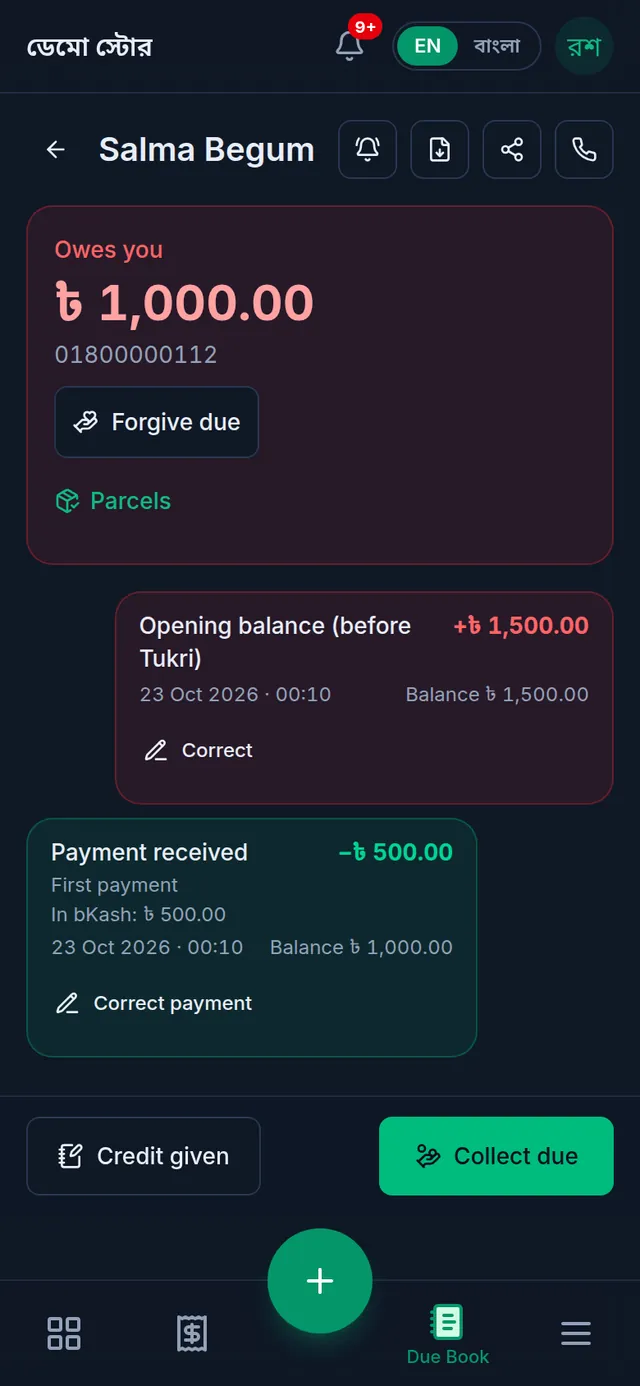
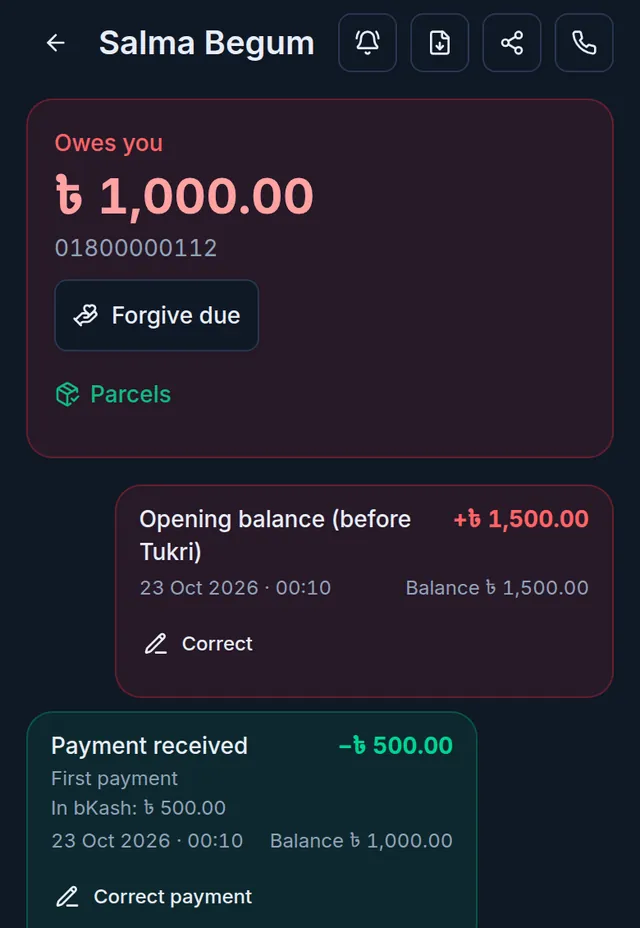
- The card at the top shows Owes you, what they owe now. If you hold an advance from them it shows Advance balance.
- Below are the entries, oldest first, each with its date, the time it was written (only the date for an entry written for an earlier day) and the balance after it. Plus (+) raises what they owe; minus (−) lowers it. A very long খাতা shows only its recent entries on screen; the statement has them all.
- At the bottom: Credit given (when you give something on credit without a sale) and Collect due (when they pay).
- The icons at the top: Send reminder (remind them by message), Download statement (a PDF of everything), share, and Call customer.
What the entries mean
| Entry | Meaning |
|---|---|
| Sale on due | The part of a sale the customer will pay later |
| Opening balance (before Tukri) | What they owed before Tukri, entered when they were added |
| Credit given | Money or goods given on credit without a sale |
| Payment received | Money the customer paid |
| Due forgiven | A due the owner forgave |
| Sale returned, Sale voided | A returned or voided sale's due taken off |
| Entry corrected, Payment reversed | The owner's correction, written as its own entry under the original |
| Advance paid back | An advance paid back to the customer |
Next
- When a customer pays: Collect a customer's due.
- When you give something on credit without a sale: Record credit given.
- When an entry is wrong: Correct a wrong Due Book entry.
- To remind a customer: Remind a customer about their due.
If something goes wrong
A customer is not in the list. Their balance is zero, so the Due Book list leaves them out. Open them from Customers.
I do not see the credit or forgive buttons. Credit given needs its own permission, and forgiving and correcting are for the shop's owner only.
Watch the video
What the video says
Who owes you how much? How do you see it at a glance?
Open the Due Book from the bottom bar. At the top you see the total all customers owe you. Below are only the customers whose balance isn't zero. A red amount means the customer owes you, green means you hold their advance.
Search by name or phone number. Tap Highest due, and whoever owes most comes first. Tap Recent, and the balance changed last comes first.
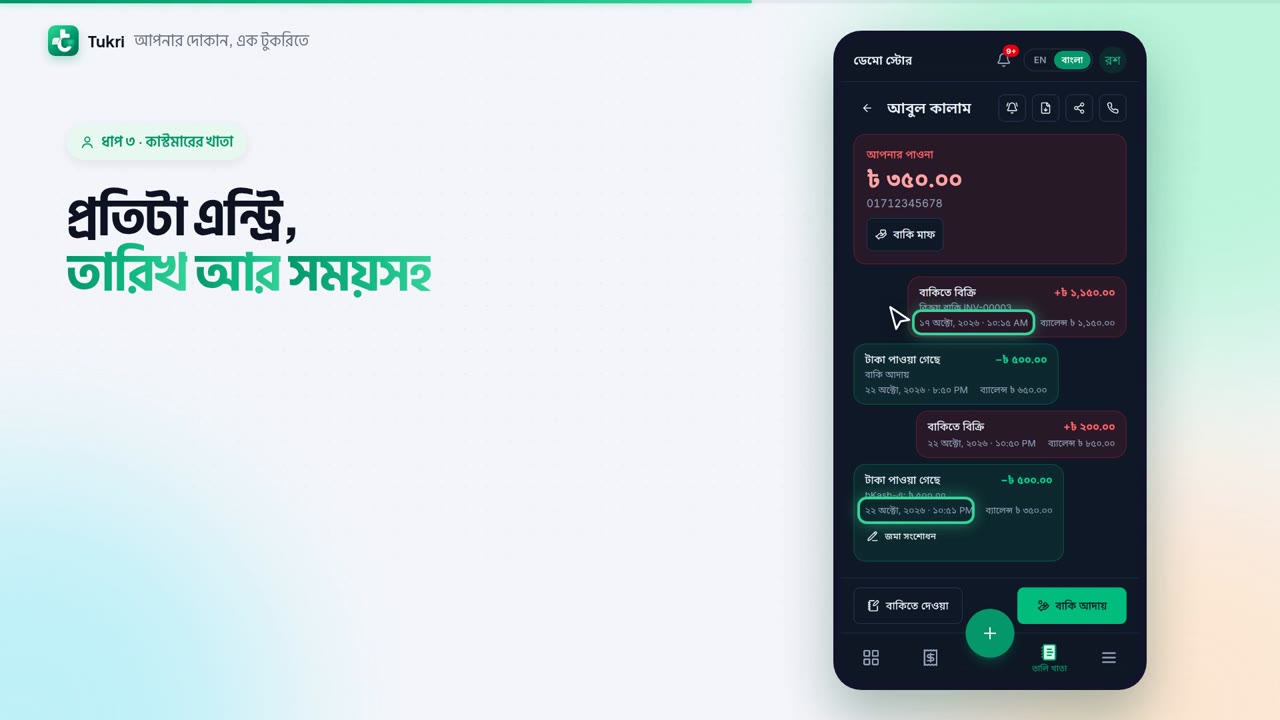
Tap a customer's name to open their খাতা. The card at the top shows what they owe now. Below is every entry, oldest to newest, with its date and the time it was written. Plus means the due went up, minus, down. Beside it, the balance after it.
At the very bottom are two buttons. For credit without a sale, Credit given. When you're paid, Collect due. The icons at the top: reminder, statement, share and call.
No entry in the খাতা can be deleted; if one is wrong, the owner corrects it.
Dues kept without pen and paper, tukri.bd
Related articles
- Collect a customer's due When a customer pays their due, record it in their খাতা: how much, and whether it came in cash, to the bank or by mobile banking. The due drops at once.
- Sell on due and take part payment Attach a customer while selling and leave the whole bill, or what is left of it, as due in their খাতা. Taking part now and the rest later works the same way.
- Record credit given without a sale (বাকিতে দেওয়া) When a customer takes goods or money on credit without a sale at the till, write it in their খাতা: how much and what for. Only their due goes up.
- Correct a wrong Due Book entry or payment When credit given or a previous due was typed too high, or a payment went to the wrong account or customer, the owner corrects it. The original stays.
- Download a customer's statement or share their খাতা Download a customer's whole due history as a PDF statement, or send them a read-only link on WhatsApp. A link stays open for 30 days.
- Remind a customer about their due Send reminder in a customer's খাতা opens a message with their due already written. Send it by SMS or WhatsApp from your own phone, or copy it.
Still need help?
Write to us, call or send a WhatsApp message, and someone from Tukri will help you.
