

On this page
When a customer asks how much they owe and what for, you can give them their whole খাতা in two ways: a PDF statement with Download statement, or a read-only link they open on their own phone. Both list every entry with its date, description and balance.
Before you begin
- Anyone who can see the Due Book can download a statement: the Owner, Admin and Staff roles.
- Making a share link needs the Public share links permission. The Owner and Admin roles have it and Staff does not; give it to a role you made yourself and its members see the share button too.
Download the statement
- Open Due Book and tap the customer.
- Beside the name at the top are a few buttons: the bell (a reminder), the page with a down arrow (Download statement), share (with the share links permission), and call. Tap the page button.

- The PDF downloads. Open it, print it, or send it to the customer.
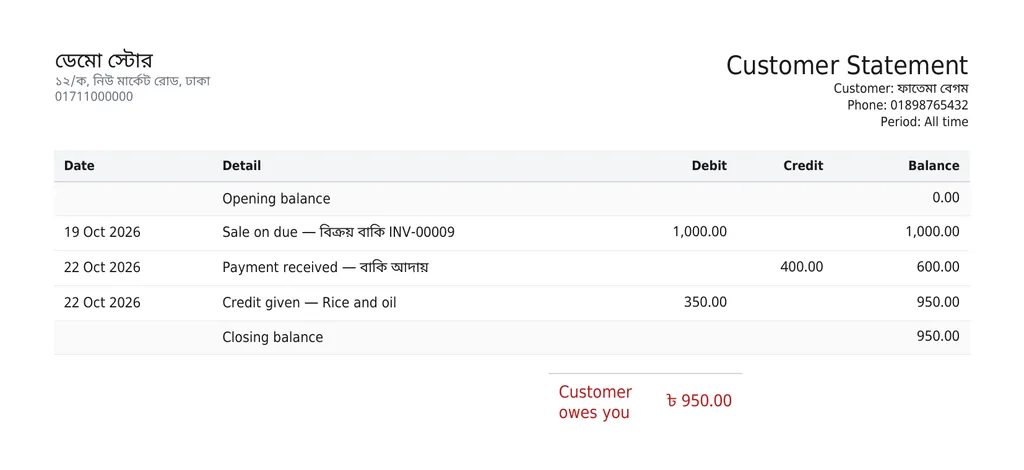
What the statement shows:
- The shop's name, address and phone at the top, and the customer's name and phone.
- Every entry, oldest first: the date, what it was (a sale's invoice number, or the description of credit given), the debit or credit, and the balance after it.
- At the bottom, what the customer owes now, or the advance you hold for them, or that the account is settled.
- Always the whole history, from the start until today; there is no way to pick a date range.
- It is in the shop's language, not your own app language. The shop's language is Default language under Settings › Shop › Shop profile.
Share a link to the খাতা
- In the customer's খাতা, tap the share button at the top.
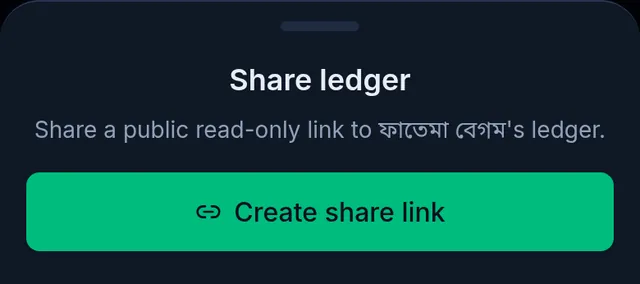
- Share ledger opens. Tap Create share link.
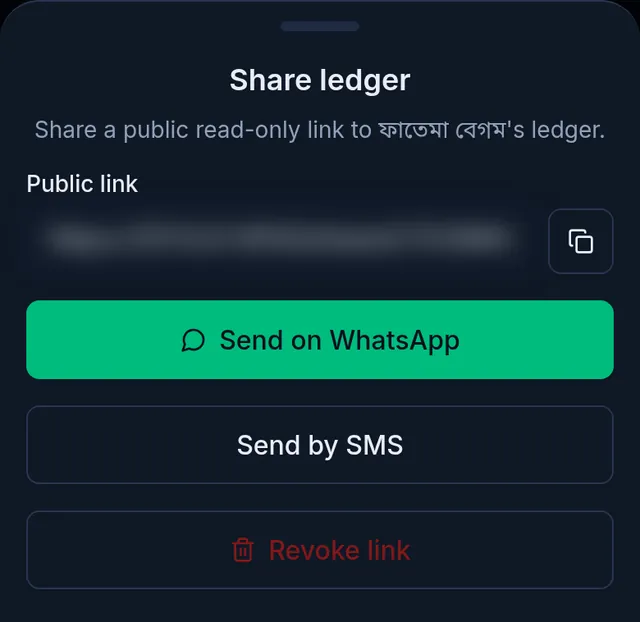
- Tukri shows "Share link ready." and the link appears under Public link. Copy it with the button beside it, or tap Send on WhatsApp or Send by SMS: WhatsApp or your messages open on your phone, addressed to the customer, with a message and the link ready. Check it before you send.
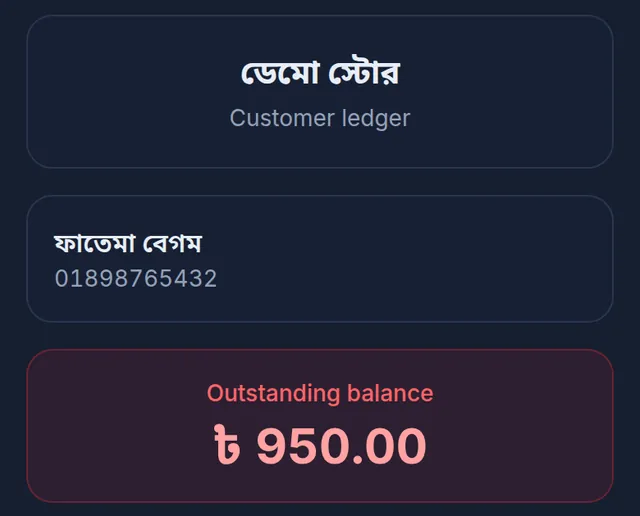
When the customer opens the link they see, without signing in to anything, the shop's name, their own name, the Outstanding balance, every entry in the খাতা, and a Download PDF button. They can look, but cannot change anything.
- A link stays open for 30 days, then stops working. Share again to make a new one.
- While a link is open, tapping share again shows the same link.
- To close a link, tap Revoke link, and Revoke link again when it asks Revoke this link? Anyone who has it can no longer open it; sharing later makes a link with a new address.
If something goes wrong
I do not see the share button. Your role does not have the Public share links permission. Ask the shop's owner.
The customer says the link does not open. The 30 days are over, or the link was revoked. Share again and send the new link.
The statement comes out in Bangla (or English). The statement and the shared খাতা use the shop's language. Change Default language if you want the other one.
There is no WhatsApp button. The customer has no phone number. Copy the link and send it yourself.
The statement shows a correction. When the owner corrects an entry, the statement shows it too, with the entry it corrects. A payment correction shows as a standard line, never its reason or another customer's name. See Correct a wrong Due Book entry.
Watch the video
What the video says
A customer asks how much they owe? Or want to remind them about their due? Both are done from the customer's খাতা.
In Due Book, tap the customer's name. At the top, beside the name, there are a few buttons: bell, statement, share and call.
Tap the statement button, and the খাতা downloads as a PDF. With dates, details and the balance, the whole account, from the start up to today. Print it, or send it to the customer.
Just want to give a link to look at? Tap share and then Create share link. Then send it on WhatsApp or by SMS. The customer sees the খাতা without signing in, but cannot change anything. The link stays open for 30 days. The Owner and Admin can share it.
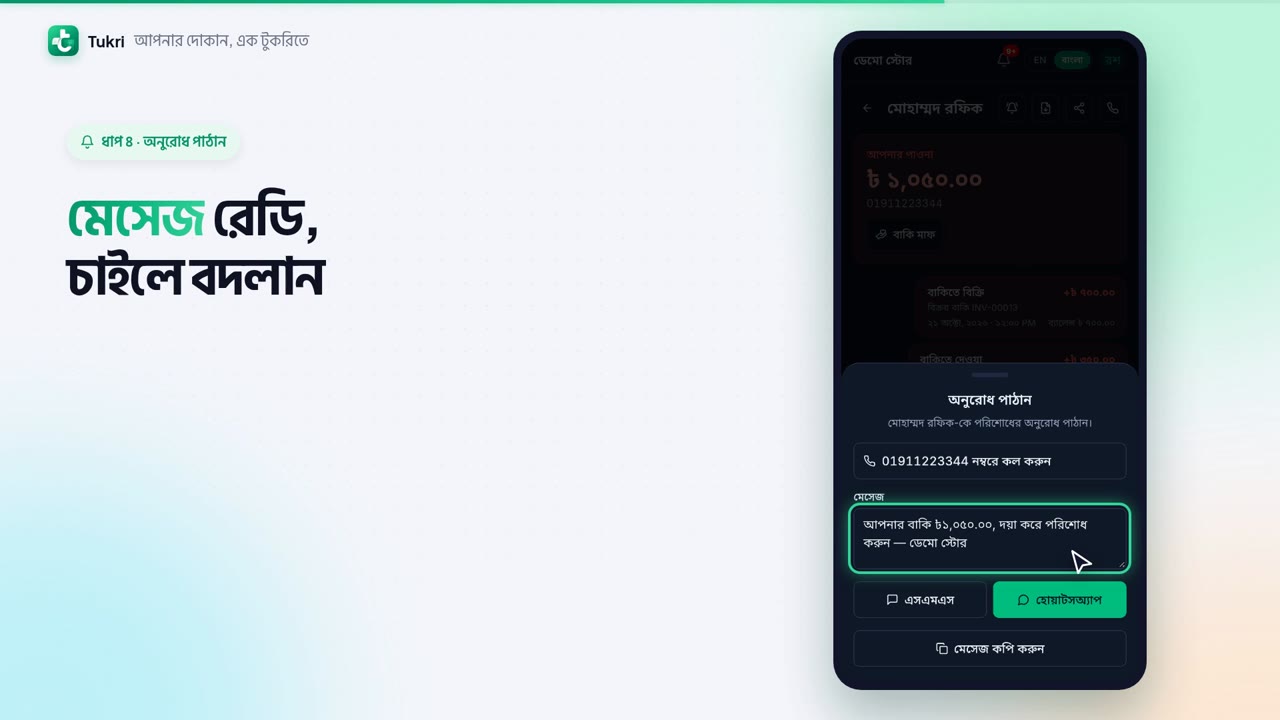
To remind them of their due, tap the bell button. With the due and your shop's name, the message is ready; change it if you like. Tap SMS or WhatsApp and your phone's own app opens, then send it yourself from there. To talk to them, tap call at the top.
The message goes from your own number. Tukri does not send SMS by itself.
Show your accounts simply, tukri.bd
Related articles
- Remind a customer about their due Send reminder in a customer's খাতা opens a message with their due already written. Send it by SMS or WhatsApp from your own phone, or copy it.
- Collect a customer's due When a customer pays their due, record it in their খাতা: how much, and whether it came in cash, to the bank or by mobile banking. The due drops at once.
- Record credit given without a sale (বাকিতে দেওয়া) When a customer takes goods or money on credit without a sale at the till, write it in their খাতা: how much and what for. Only their due goes up.
- Correct a wrong Due Book entry or payment When credit given or a previous due was typed too high, or a payment went to the wrong account or customer, the owner corrects it. The original stays.
Still need help?
Write to us, call or send a WhatsApp message, and someone from Tukri will help you.
