

When a customer pays towards their due, record it in their খাতা with Collect due. The money is added to the account it came into (cash, bank, or mobile banking such as bKash), and what the customer owes drops at once.
Before you begin
- The Owner, Admin and Staff roles can all collect dues.
- A new shop has only a cash account. To take money by bKash, Nagad or bank, add that account first: Cash, bank and bKash accounts.
Record the payment
- Open Due Book and tap the customer. Their খাতা opens.
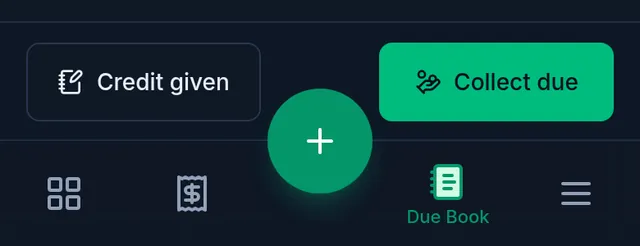
- Tap Collect due at the bottom.
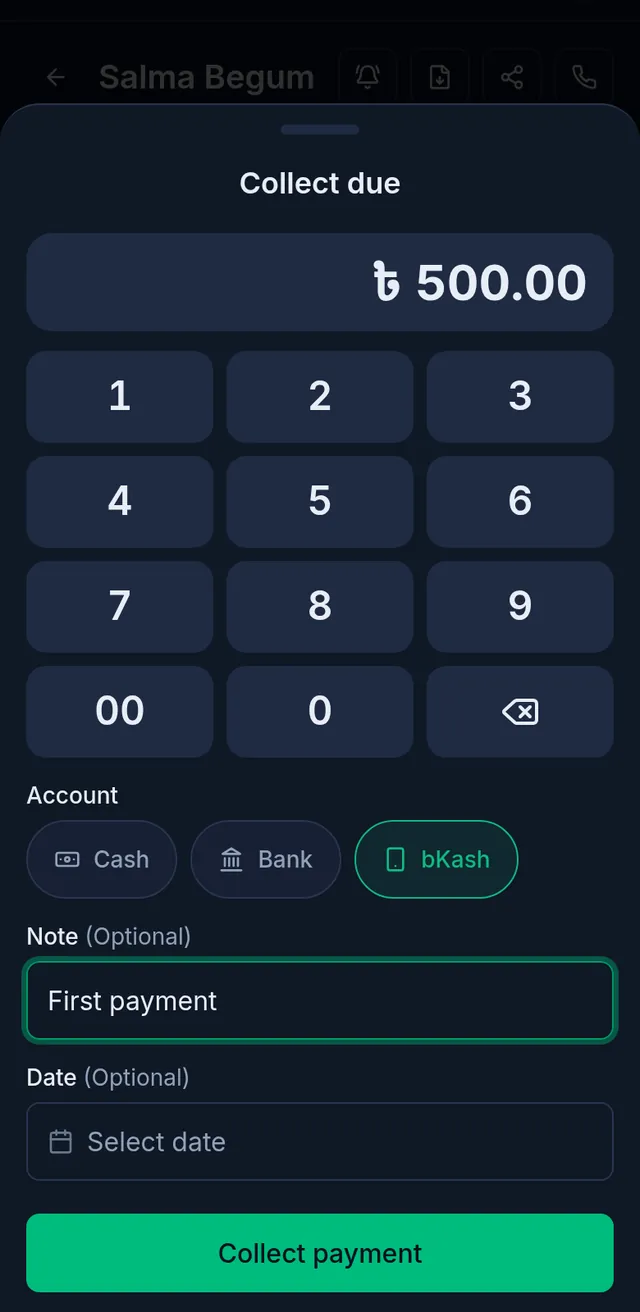
- Type the amount you received on the keypad (whole taka).
- Under Account, choose where the money came in: cash, bank or mobile banking.
- Add a Note if you like. If you received it yesterday rather than today, change the Date to yesterday; an earlier day cannot be chosen.
- Tap Collect payment.
After collecting
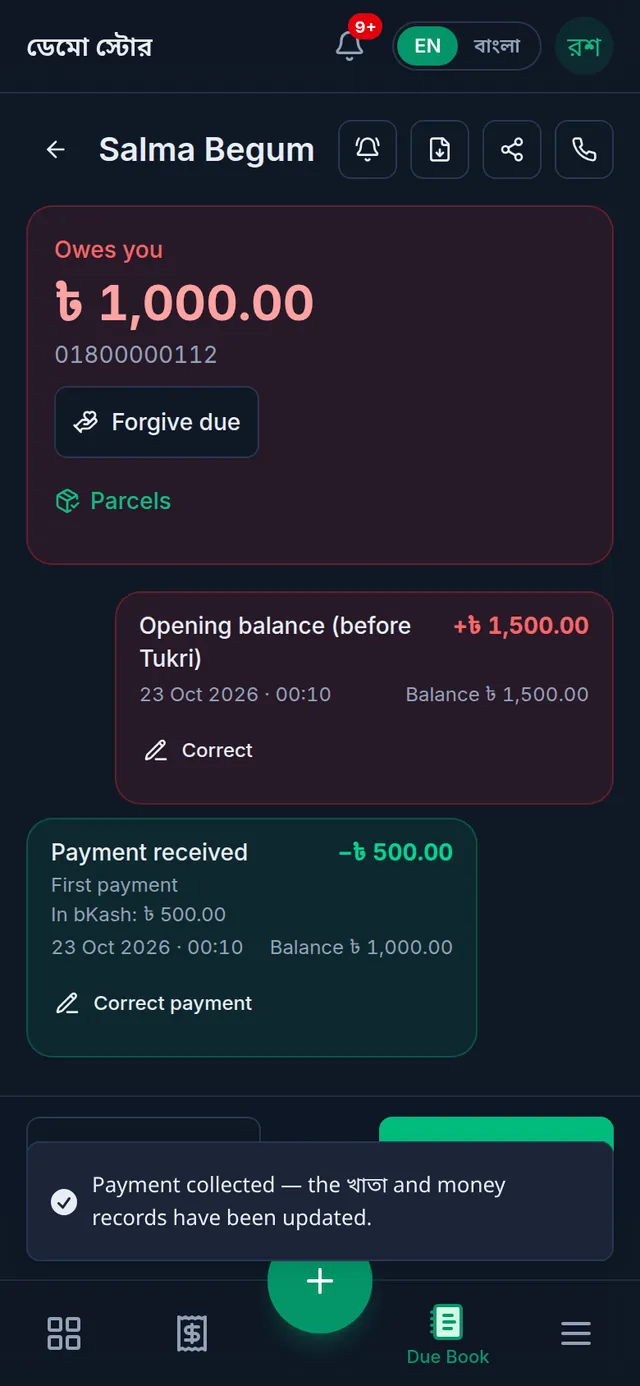
A Payment received entry is added to the খাতা, the amount owed at the top drops, and the money is in the account you chose.
If something goes wrong
The customer paid more than they owed. The extra becomes their advance, shown as Advance balance in the খাতা. It counts against their next sale on due, and the owner can pay it back with Pay back advance.
I recorded the wrong amount or account. A payment cannot be deleted. The shop's owner fixes it with Correct payment on that entry: Correct a wrong Due Book entry.
bKash is not in the accounts. Add a bKash or bank account first: Cash, bank and bKash accounts.
Watch the video
What the video says
The customer can't pay the whole bill? Put the rest in their খাতা, in Tukri.
Put the products in the cart, then tap Checkout. Tap Attach customer and search by name or phone number. What they already owe shows beside them. A new customer? Add them right there.
Now tap Take payment. Type what the customer paid now. If they paid nothing, leave it empty. Then tap Mark remainder as due.
When you tap Complete sale, the rest goes into the customer's খাতা.
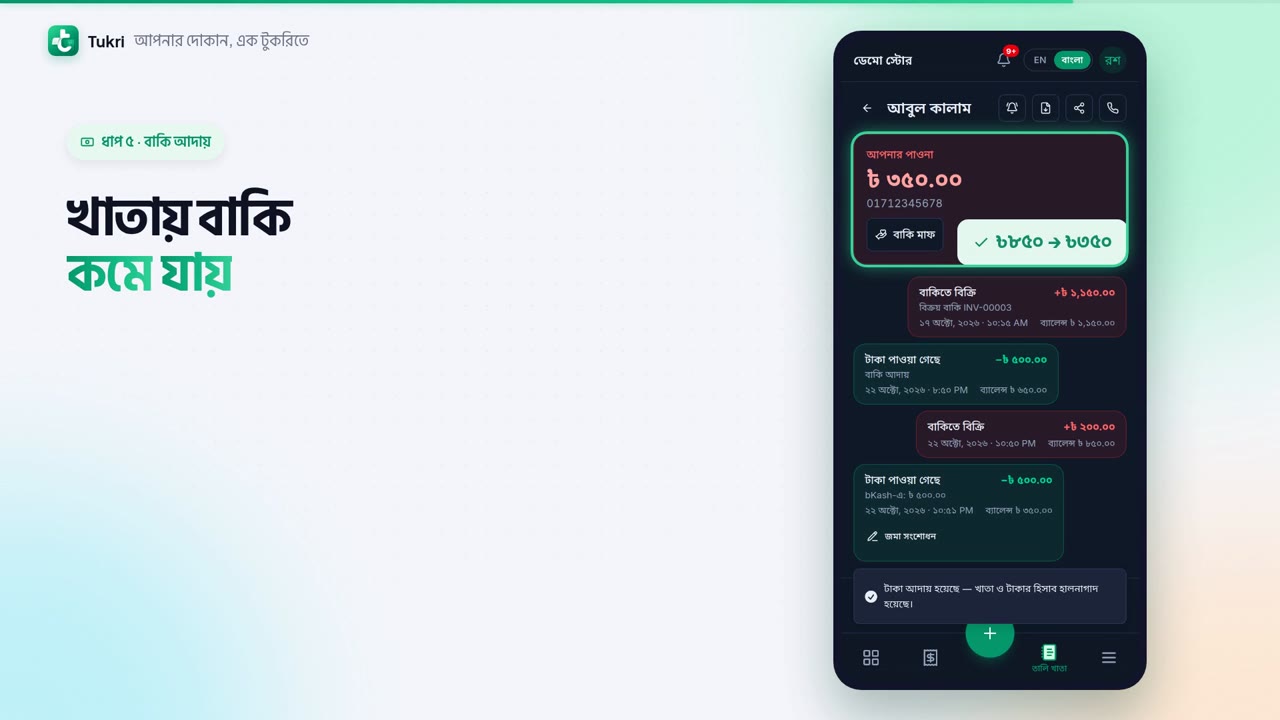
When the customer pays later, open the Due Book from the bottom bar. At the top you see the total everyone owes you. Tap the customer's name, then Collect due.
Type how much you received. Choose the account the money came into. Tap Collect payment, and the due in the খাতা goes down. Every entry is kept with its date; nothing is ever erased.
Your dues, in the palm of your hand, tukri.bd
Related articles
- The Due Book (তালি খাতা): see who owes you and how much See in one place how much your customers owe you. Each customer's খাতা lists every sale on due, payment and other entry, with dates and balances.
- Correct a wrong Due Book entry or payment When credit given or a previous due was typed too high, or a payment went to the wrong account or customer, the owner corrects it. The original stays.
- Remind a customer about their due Send reminder in a customer's খাতা opens a message with their due already written. Send it by SMS or WhatsApp from your own phone, or copy it.
- Cash, bank and bKash accounts: add accounts and keep track of money In My Money, add your bKash, Rocket or bank account, put in the money already in it, and move money from one account to another.
Still need help?
Write to us, call or send a WhatsApp message, and someone from Tukri will help you.
