

On this page
My Money holds your shop's money accounts: the Cash account every shop starts with, and any bank or mobile banking account (bKash, Rocket and the like) you add. Sale payments, due collections, purchases and expenses all go in and out of these accounts, and Tukri keeps each balance. This is where you add an account, put money in or take it out, and move money between accounts.
Before you begin
- The Owner and Admin roles can use this page; Staff cannot. On a role you made yourself, opening it needs See money accounts, and adding accounts, adding or taking out money and transfers need Move money.
- The button to add an account is only in the phone layout (see below).
Open My Money
On a computer, open Money under Money in the menu on the left. On a phone, open Money from Menu (the three-line button) in the bar at the bottom.
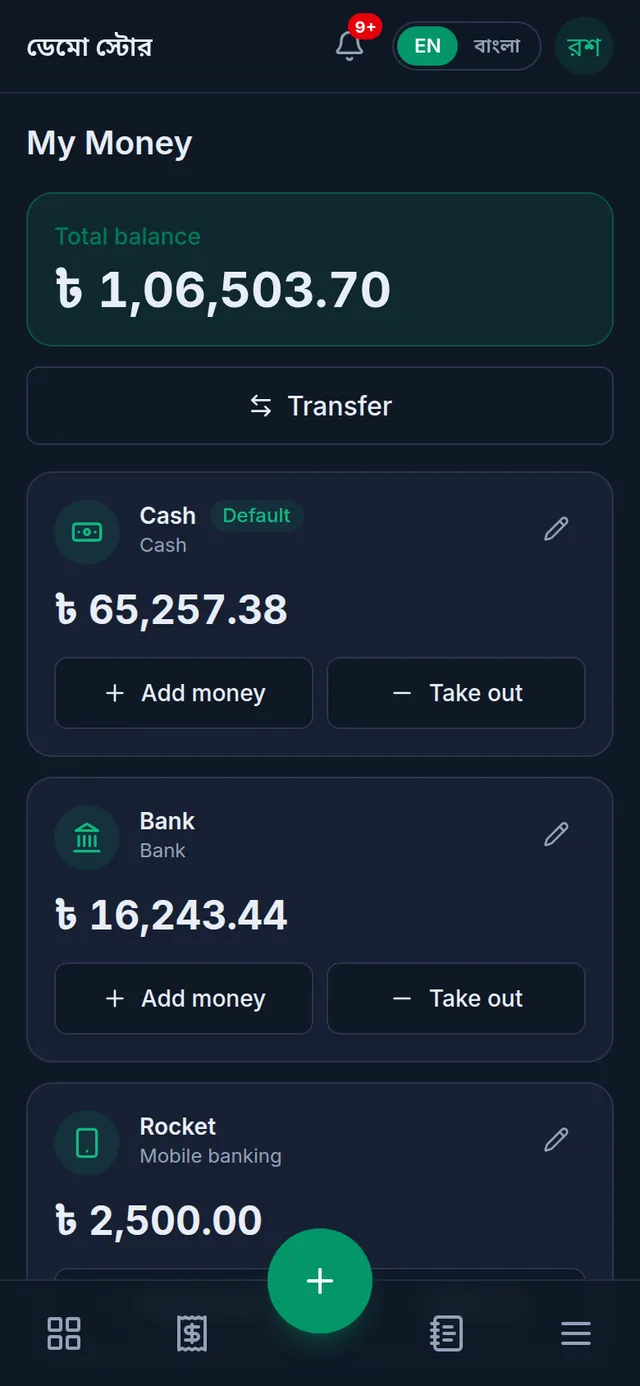
At the top is the Total balance of all active accounts. Below it, each account has a card with its balance, the Add money and Take out buttons, and a pencil.
Add an account
- On a phone, open My Money and tap the round + button at the bottom (Add account).
- Type the Account name, such as bKash, Rocket or City Bank.
- Choose the Account type: Cash, Bank, Mobile banking or Other.
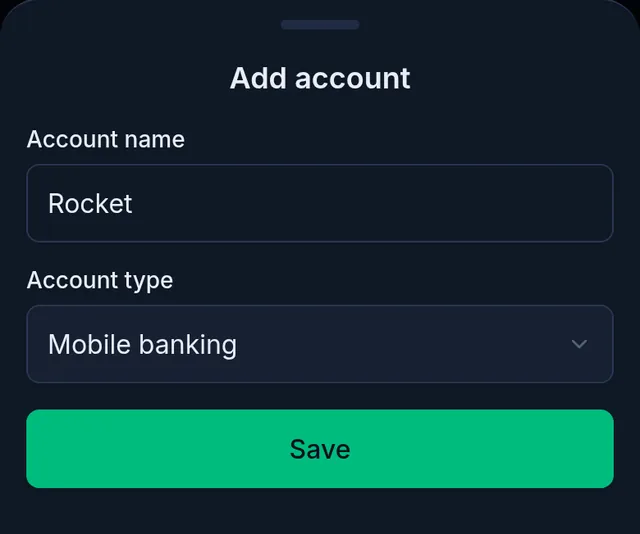
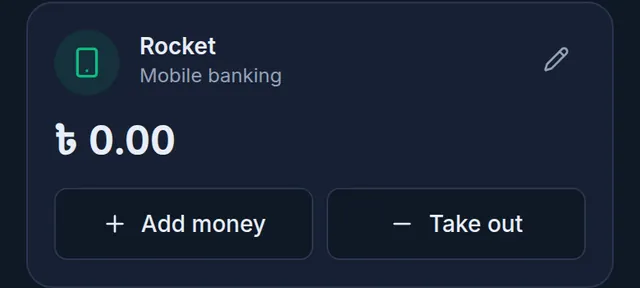
- Tap Save. Tukri shows "Account added." A new account starts at zero.
Put in the opening balance, or take money out
There is no separate field for what is already in an account: record it with Add money. When the owner takes shop money home, record it with Take out.
- On the account's card, tap Add money or Take out.
- Type the amount on the keypad (whole taka).
- Check the Account.
- Add a Note if you like, such as "Opening balance". Leave the Date empty for today, or pick yesterday; an earlier day is not accepted.
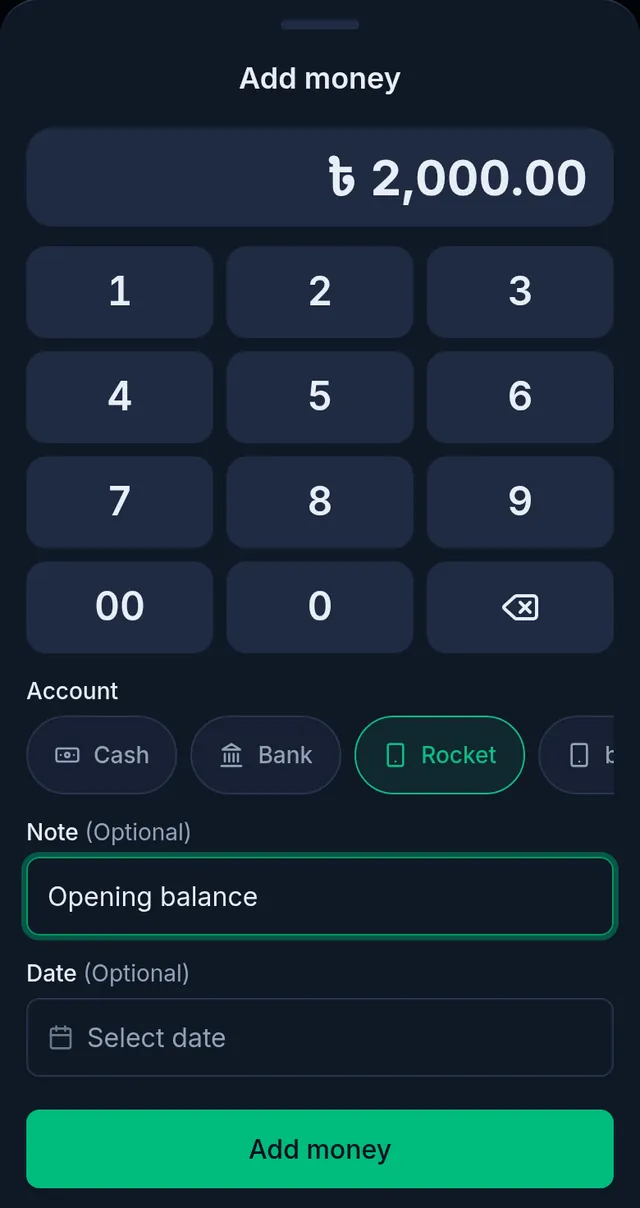
- Tap Add money or Take out money. Tukri shows "Deposit recorded — the account balance has been updated." or "Withdrawal recorded — the account balance has been updated."
Money added or taken out this way is not income or an expense in profit and loss. You cannot take out more than the balance.
Move money between accounts
For example, when you put cash into the bank. With at least two active accounts, a Transfer button shows at the top.
- Tap Transfer.
- Type the amount on the keypad.
- Choose From account and To account, and add a note if you like.
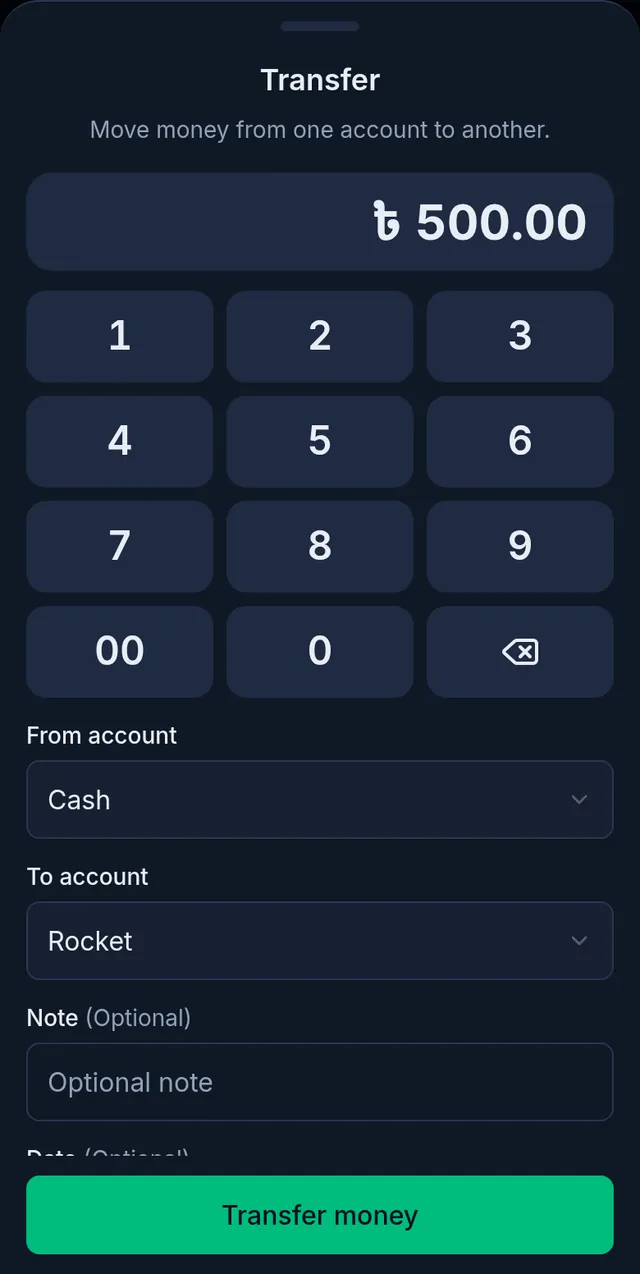
- Tap Transfer money. Tukri shows "Transfer complete — both accounts have been updated." The account the money leaves cannot go below zero.
See every transaction
Money Movement lists every transaction, newest first. You can show only In, Out or Transfers, pick a time, or pick one account instead of All accounts. Transactions cannot be edited or deleted.
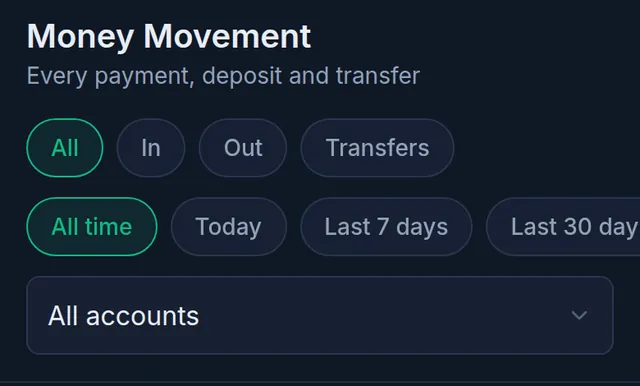
An Adjustment row is one Tukri made itself: a cancelled sale's payment taken back, a sale return's refund, money back from a returned purchase, or a deleted expense's money put back.
Rename, switch off or delete an account
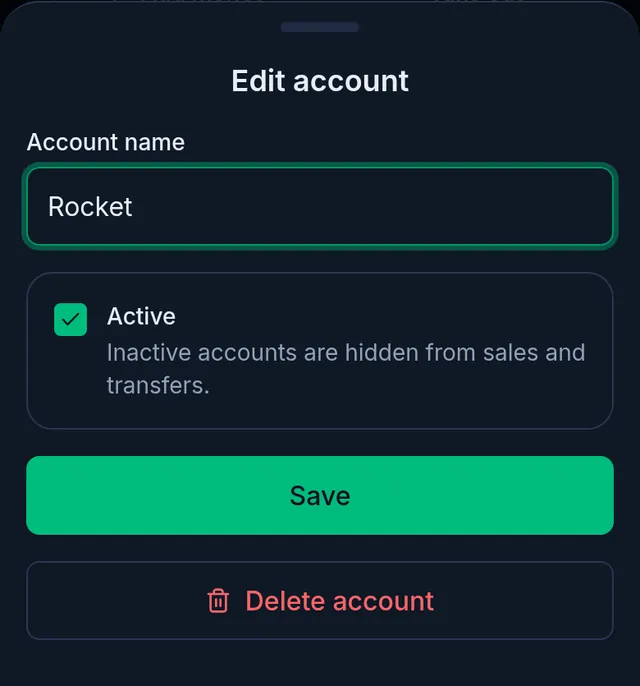
Tap the pencil on an account's card to open Edit account.
- Change the name and tap Save. The type cannot be changed.
- To stop using an account, untick Active. It is then no longer offered for sales, collections, expenses or transfers; its card stays, marked Inactive, and its balance leaves the total. Tick it again to bring it back.
- Delete account works only for an account that has never had money in or out. It asks Delete this account? first.
- The Default cash account the shop started with can be renamed, but not switched off or deleted.
If something goes wrong
It says "Pick today or yesterday: an earlier date cannot be recorded here." You picked a day before yesterday. Pick today or yesterday, or leave it empty and write the real date in the note.
It says "The account does not have enough balance for this amount." You cannot take out or move more than the account holds. Use a smaller amount or another account.
It says "This account has transactions and cannot be deleted — disable it instead." The account has had money in or out. Untick Active to switch it off instead.
There is no Transfer button. You need at least two active accounts.
The buttons are there but saving is refused, or Money is not in the menu. Your role does not have Move money or See money accounts. Ask the shop's owner.
I recorded a due payment by mistake. Do not fix it with Take out, which would record money leaving that never left. The shop's owner corrects it in the customer's খাতা with Correct payment: Correct a wrong Due Book entry.
An account shows below zero. This can happen when purchases or supplier payments were recorded from an account that did not have the money, or when a payment that never came was reversed.
Where do I record rent or bills? In expenses: Record shop expenses.
Watch the video
What the video says
How much is in cash, the bank and bKash? How much did the shop spend? Let's write both down in Tukri.
Open Money from the Menu at the bottom. At the top, the total balance of all your accounts, and below, each account on its own.
Need a new account? Tap the plus at the bottom. Give it a name, such as Rocket, and choose the type: Mobile banking. Once saved, it starts at zero taka.
If the account already holds money, tap Add money on its card. Enter the amount and a note, then tap Add money. The date can be today or yesterday. This is not counted as income in profit and loss.
To move money from one account to another, tap Transfer at the top. Enter the amount, then choose where from and where to.
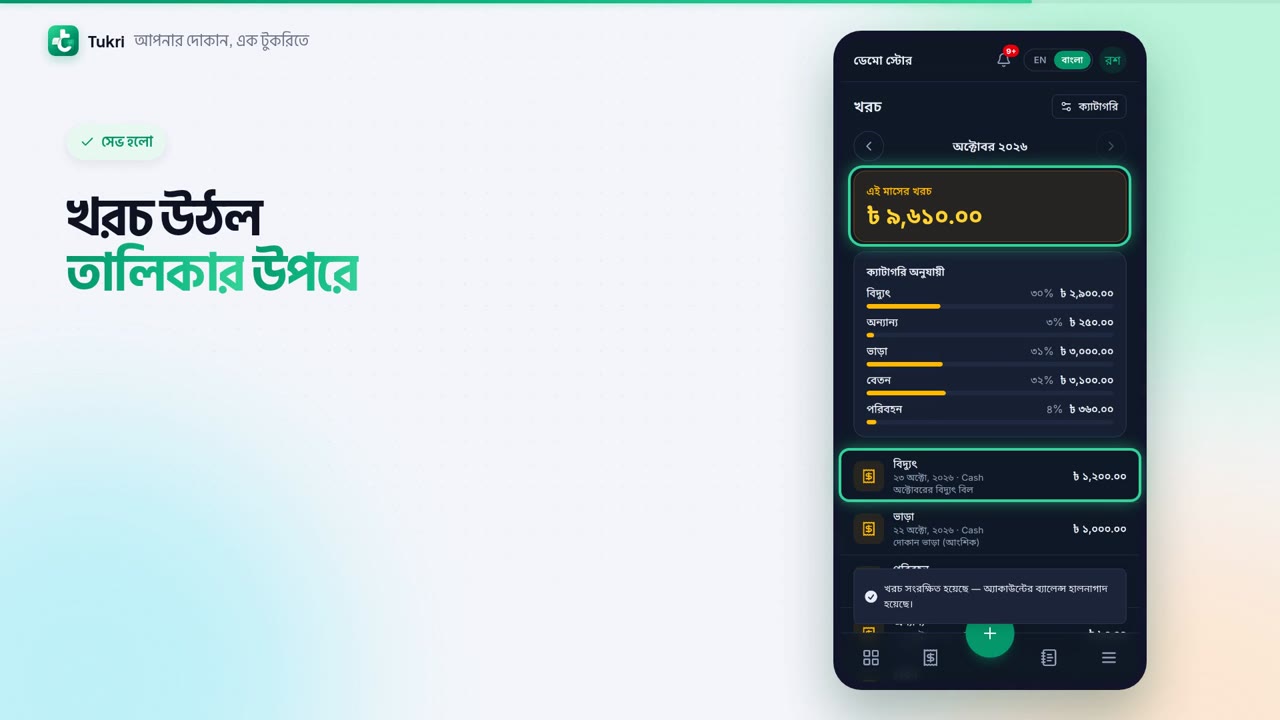
Now expenses. Open Expenses from the Menu, and tap the plus at the bottom. Choose the Category, such as Electricity. Enter the amount, and choose the account you paid from. Add a note and a photo of the receipt if you like, then tap Save.
The expense is now at the top of the list, and the Cash balance went down by that much. It also counts as an expense in the profit and loss report. Expenses and money are seen by the Owner and Admin.
Your money, right in your hand, tukri.bd
Related articles
- Record shop expenses Write down rent, electricity, salaries and other costs with a category and the account they came from. The account goes down and profit and loss counts it.
- Collect a customer's due When a customer pays their due, record it in their খাতা: how much, and whether it came in cash, to the bank or by mobile banking. The due drops at once.
- Make a sale at the till Add products to the cart, take payment and complete the sale, step by step on a computer or a phone.
Still need help?
Write to us, call or send a WhatsApp message, and someone from Tukri will help you.
