

On this page
Record what it costs to run the shop, such as rent, the electricity bill, salaries or van hire, in Expenses. Each expense has a category and is paid from one money account: saving it lowers that account's balance, and profit and loss counts it as an expense.
Before you begin
- The Owner and Admin roles can see and record expenses. The Staff role cannot.
- The account you pay from (cash, bank or bKash) needs at least that much balance. To add an account or put money in, see Cash, bank and bKash accounts.
Record an expense
- Open Expenses and start a new expense.
On a computer
In the menu on the left, open Expenses under Money, then click Add expense at the top right.

On a phone or tablet
Open Expenses from Menu (the three-line button) in the bar at the bottom, then tap the round + button at the bottom.
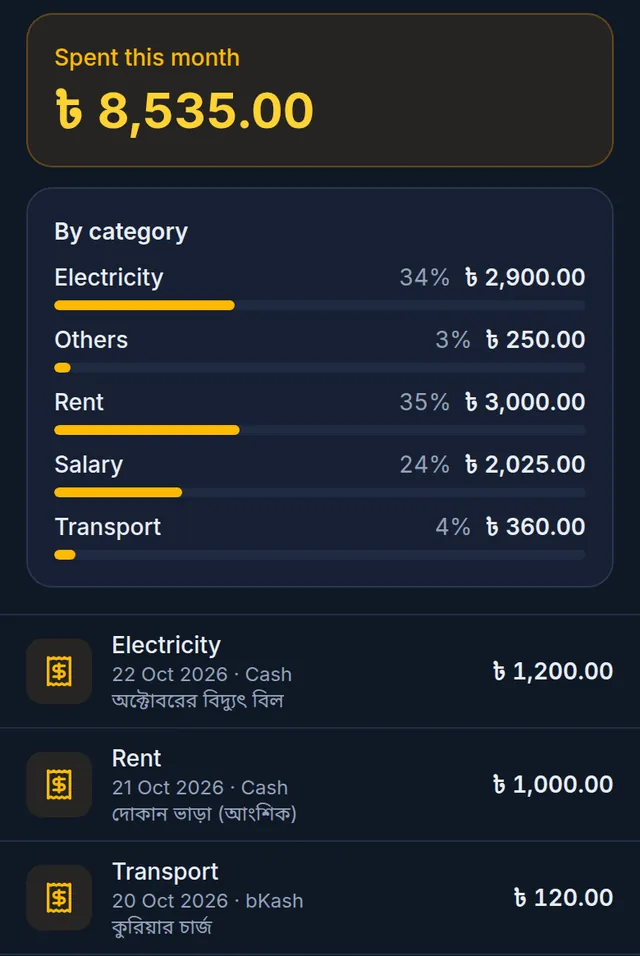
- Choose the Category. Every shop starts with five: Rent, Electricity, Salary, Transport and Others. For a new one, tap the + button beside it.
- Type the Amount.
- Under Paid from, choose the account the money came out of. Its balance shows below.
- The Date starts at today. For an expense on an earlier day, pick that date; a future date cannot be chosen.
- If you like, add a Note, such as "October electricity bill", and a photo of the Receipt (up to 2 MB).
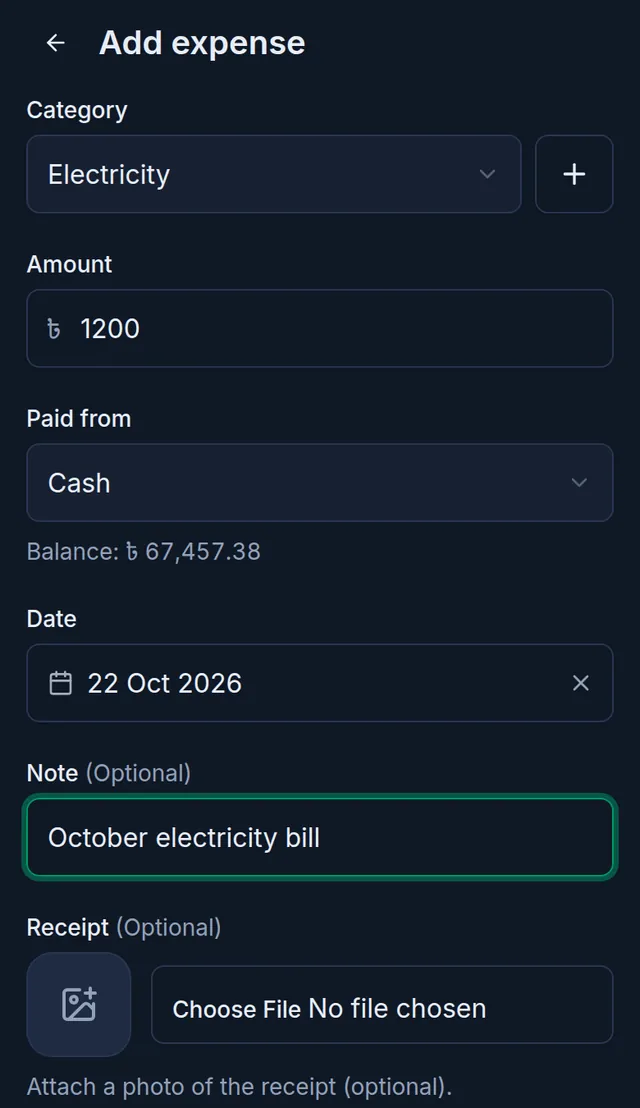
- Tap Save.
What happens next
Tukri shows "Expense recorded — the account balance has been updated." and the expense appears at the top of the list.
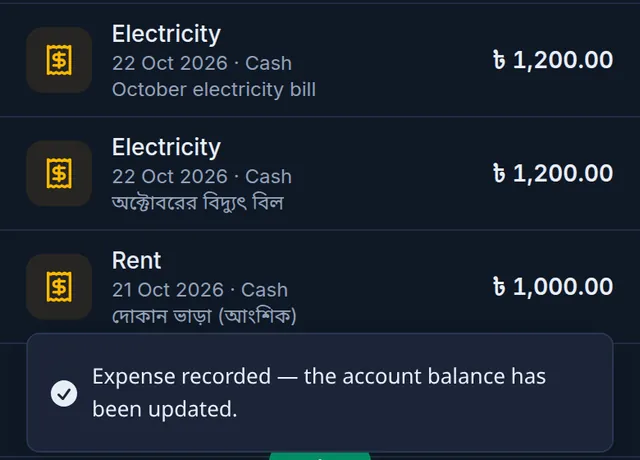
- The account you chose goes down by that much. In Money Movement it shows as Expense.
- Profit and loss counts it as an expense on its date: The profit and loss report.
- Spent this month and By category at the top update. To see another month, use the arrows beside the month's name; the forward arrow stops at the current month.
Fix or delete an expense
Tap the expense in the list to open Edit expense.
- Change the category, date, note or receipt photo and tap Save. A new photo replaces the old one.
- The amount and the account cannot change: "Amount and account can't be changed. Delete and re-add to change them."
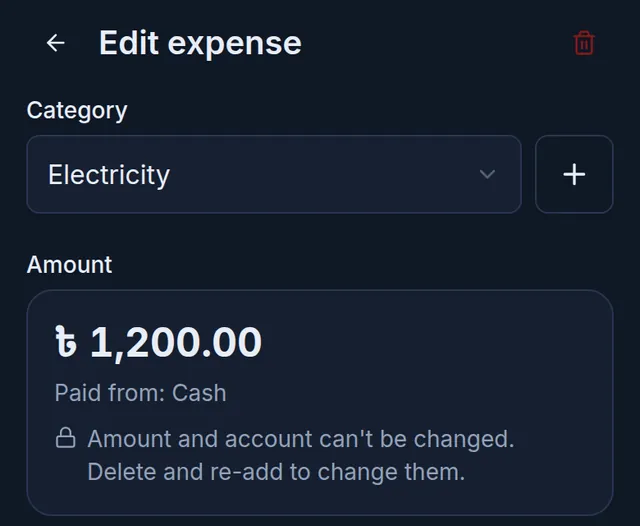
- To delete it, tap the bin at the top. When it asks Delete this expense?, tap Delete expense, or Cancel to keep it.
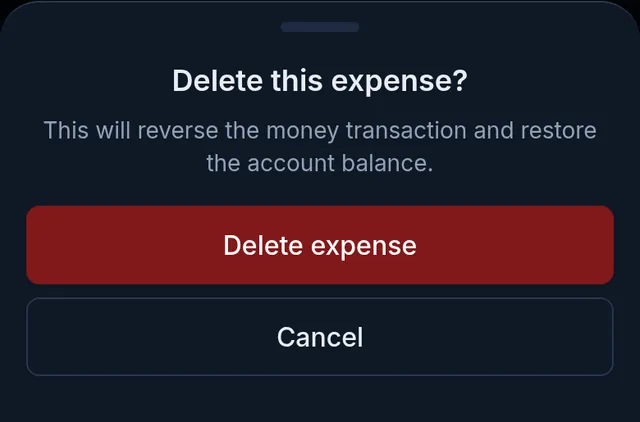
Tukri shows "Expense deleted — the account balance has been restored." The money goes back into the same account: Money Movement gets an Adjustment row dated the day you deleted it, and the original expense row stays. The expense leaves the list and the month's total.
Expense categories
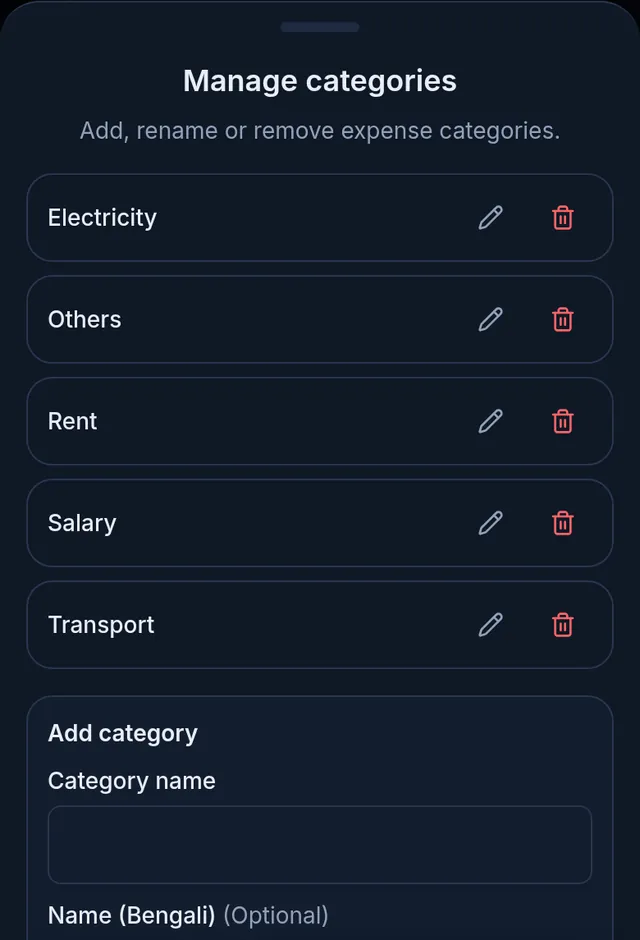
Tap Categories on the Expenses page to open Manage categories.
- To add one, type the Category name at the bottom, and a Name (Bengali) if you like, then tap Add category.
- Rename one with the pencil, delete one with the bin. It asks Delete this category? first; Delete category deletes it.
- A category that any expense was ever recorded under (even a deleted one) cannot be deleted; rename it instead.
If something goes wrong
It says "The account does not have enough balance for this amount." An expense cannot take an account below zero. Choose another account, or first record money put into it: Cash, bank and bKash accounts.
I recorded the wrong amount or account. Delete the expense and record it again. Deleting puts the money back where it came from.
Expenses is not in my menu, or the form will not open. Your role does not have See expenses or Record expenses. Ask the shop's owner.
It says "The expense date cannot be in the future." Choose today or an earlier day.
An account is missing from Paid from. Inactive accounts are not offered for expenses.
An expense has no delete button. When a courier payout is recorded in the Delivery Hub, the courier's fees are written as an expense by themselves. That one cannot be deleted, and its category and date stay as they are; you can still change its note and receipt.
Does the rent get recorded every month by itself? No, record each expense when you pay it. Damaged goods are not an expense either; record them with Adjust stock.
Watch the video
What the video says
How much is in cash, the bank and bKash? How much did the shop spend? Let's write both down in Tukri.
Open Money from the Menu at the bottom. At the top, the total balance of all your accounts, and below, each account on its own.
Need a new account? Tap the plus at the bottom. Give it a name, such as Rocket, and choose the type: Mobile banking. Once saved, it starts at zero taka.
If the account already holds money, tap Add money on its card. Enter the amount and a note, then tap Add money. The date can be today or yesterday. This is not counted as income in profit and loss.
To move money from one account to another, tap Transfer at the top. Enter the amount, then choose where from and where to.
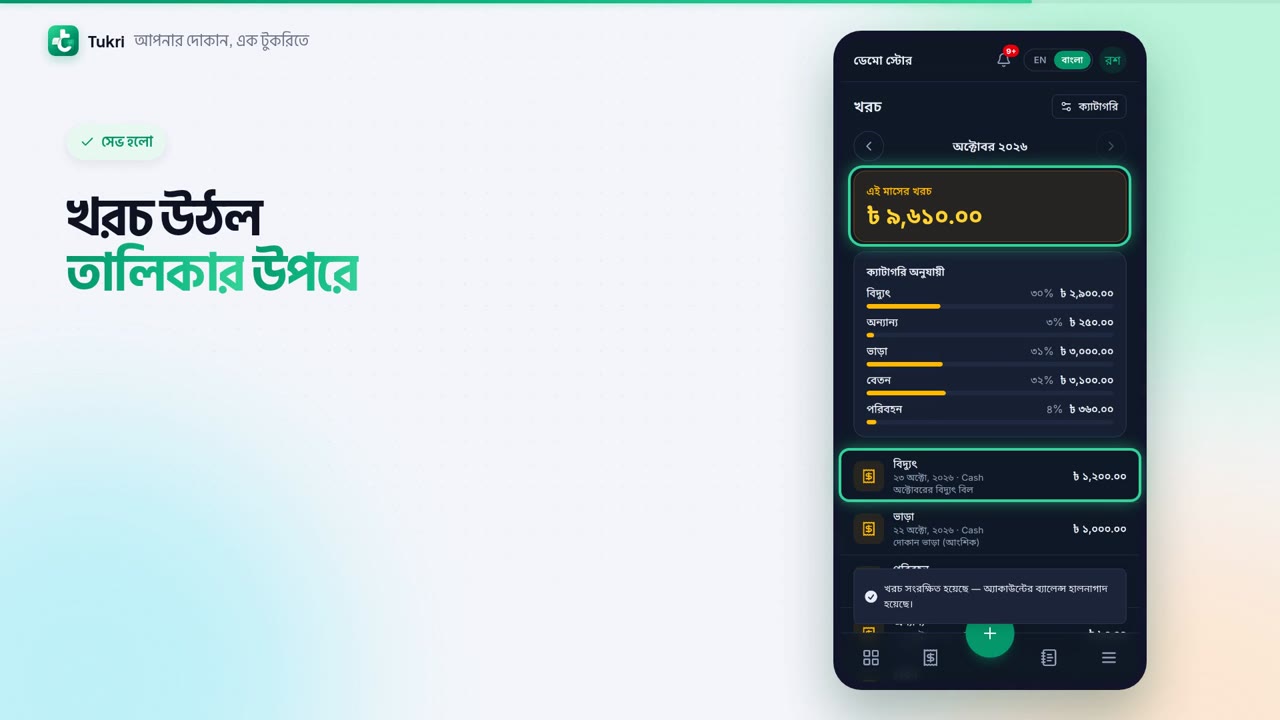
Now expenses. Open Expenses from the Menu, and tap the plus at the bottom. Choose the Category, such as Electricity. Enter the amount, and choose the account you paid from. Add a note and a photo of the receipt if you like, then tap Save.
The expense is now at the top of the list, and the Cash balance went down by that much. It also counts as an expense in the profit and loss report. Expenses and money are seen by the Owner and Admin.
Your money, right in your hand, tukri.bd
Related articles
- Cash, bank and bKash accounts: add accounts and keep track of money In My Money, add your bKash, Rocket or bank account, put in the money already in it, and move money from one account to another.
- The profit and loss report See your revenue, the cost of the goods you sold, your expenses and your net profit or loss for any period, and download it as a PDF or CSV.
Still need help?
Write to us, call or send a WhatsApp message, and someone from Tukri will help you.
