

On this page
Entries in the Due Book are never edited or deleted. When one is wrong, the shop's owner corrects it: lowers a Credit given or previous due that was typed too high, and reverses a payment or moves it to the right account or the right customer. The original entry stays exactly as it was, and the correction is written under it.
Before you begin
- Only the shop's Owner can correct. No role can be given this; other members do not see the buttons.
- A sale's due is not corrected here. Put a wrong sale right with a return or a void: Return items or void a sale.
- Was the entry right, and you want to let the customer off part of it? That is not a correction: the owner uses Forgive due at the top of the খাতা, with a reason.
Lower a due typed too high
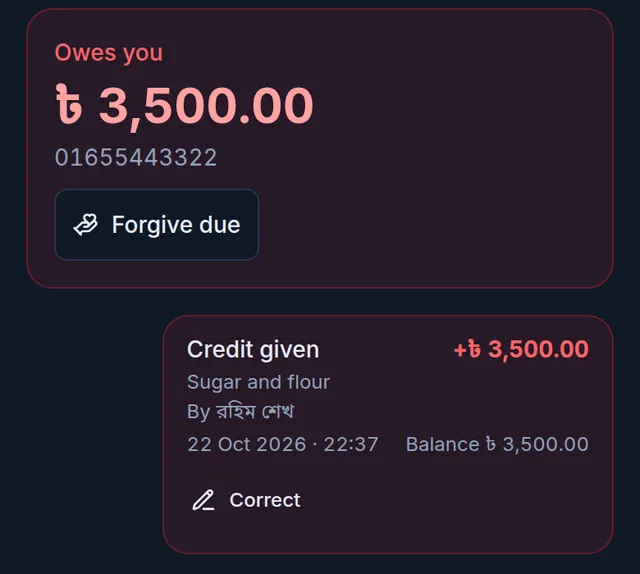
You can correct Credit given, Opening balance (before Tukri), and the old hand-added Due added (old entry) and Adjustment (old entry) entries. They show a Correct button.
- Open Due Book and tap the customer.
- Tap Correct under the wrong entry.
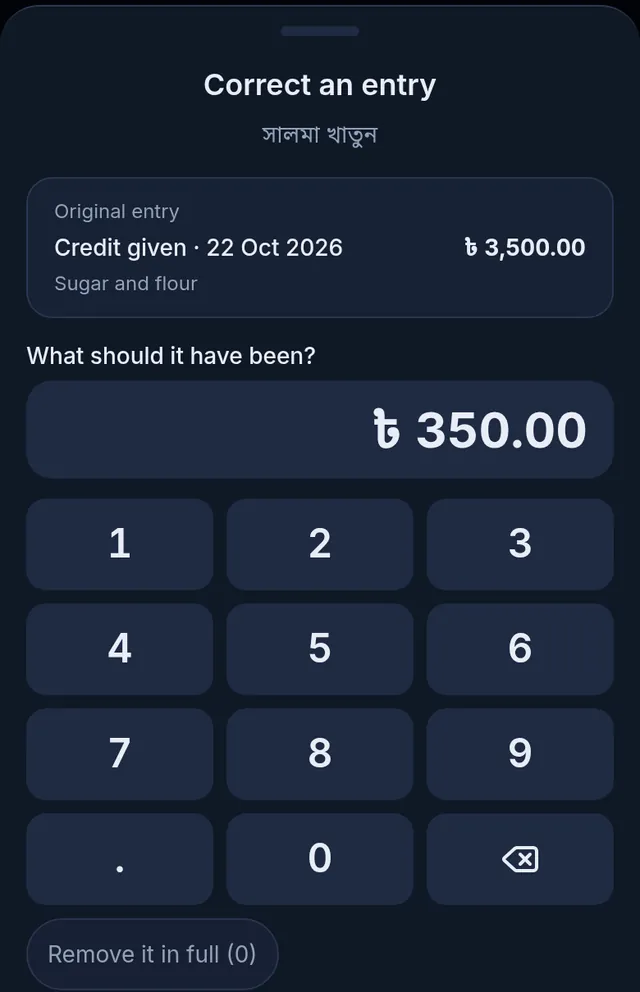
- Correct an entry opens with the original entry at the top. Under What should it have been?, type the right amount. If the whole entry was a mistake, tap Remove it in full (0).
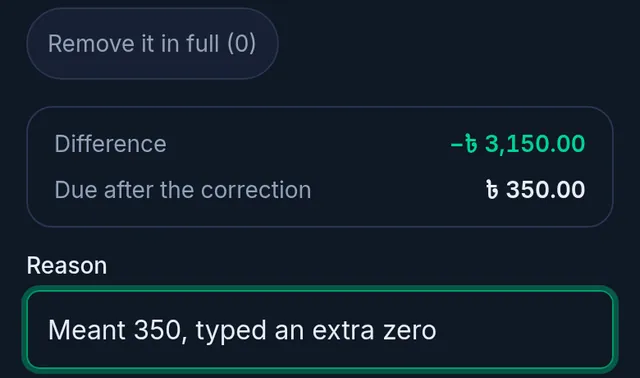
- Check the Difference and the Due after the correction below, and write the Reason.
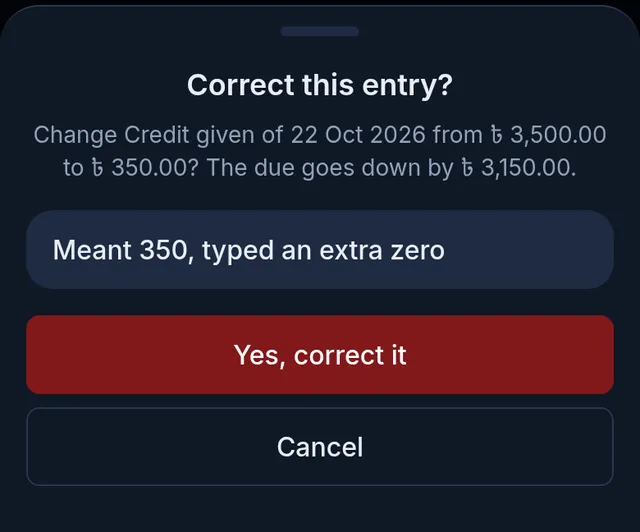
- Tap Review. Correct this entry? says which entry of which date goes from what to what. If it is right, tap Yes, correct it.
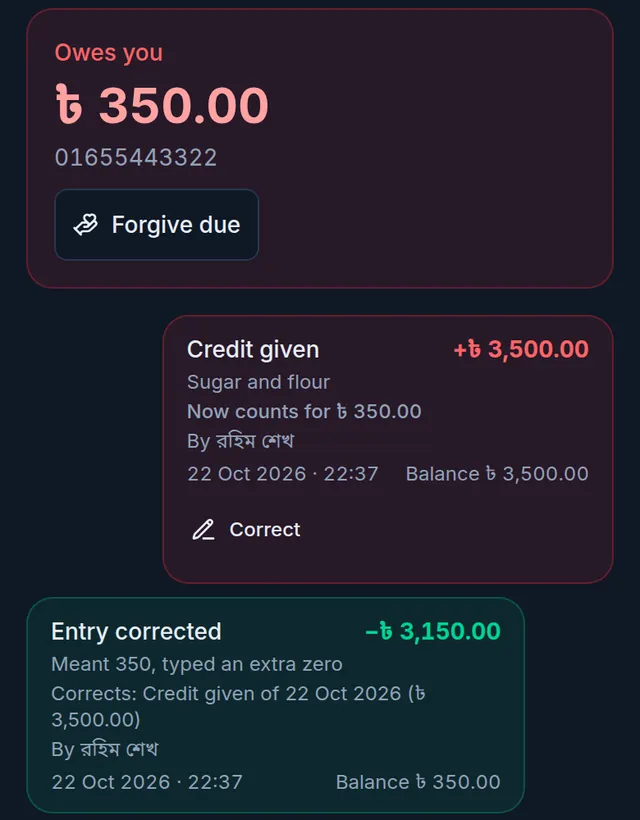
Tukri shows "Entry corrected. The original stays in the খাতা with its correction." An Entry corrected entry appears under the original, naming the entry it corrects, with the reason and your name. The original shows what it now counts for, and what the customer owes goes down by the difference.
The rules:
- A correction only lowers. If more was owed, write a new credit given and say in the description which entry it adds to.
- It cannot lower more than the customer still owes (not counting cash on delivery a courier will collect). What they have already paid cannot be turned into money the shop owes back.
- An entry cannot go below the part of it that was forgiven.
- A correction cannot be deleted either.
Fix a payment recorded wrongly
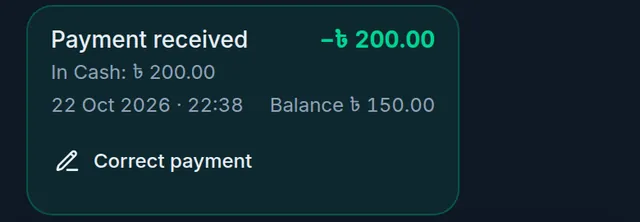
A Payment received entry written with Collect due shows a Correct payment button, and which account its money is in.
- In the customer's খাতা, tap Correct payment under the wrong payment.
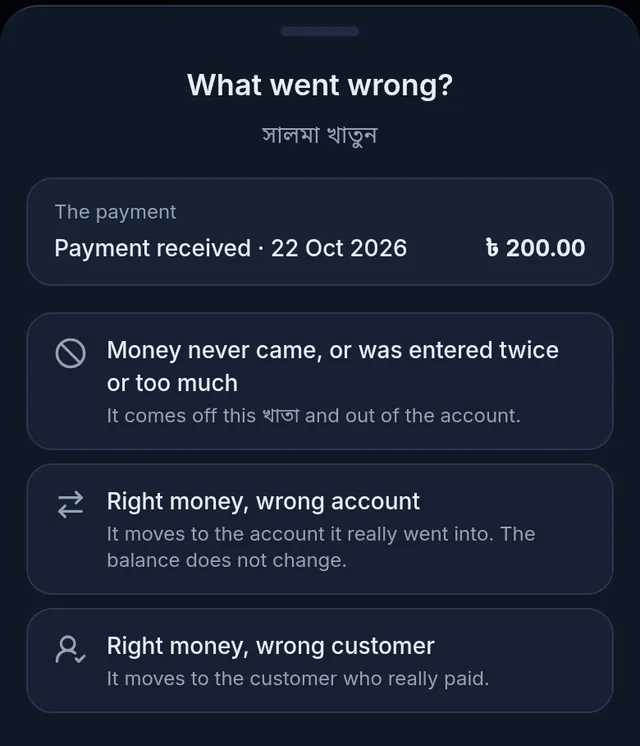
- What went wrong? asks what happened. Choose one:
- Money never came, or was entered twice or too much: it comes off this খাতা and out of the account. The customer owes that much again.
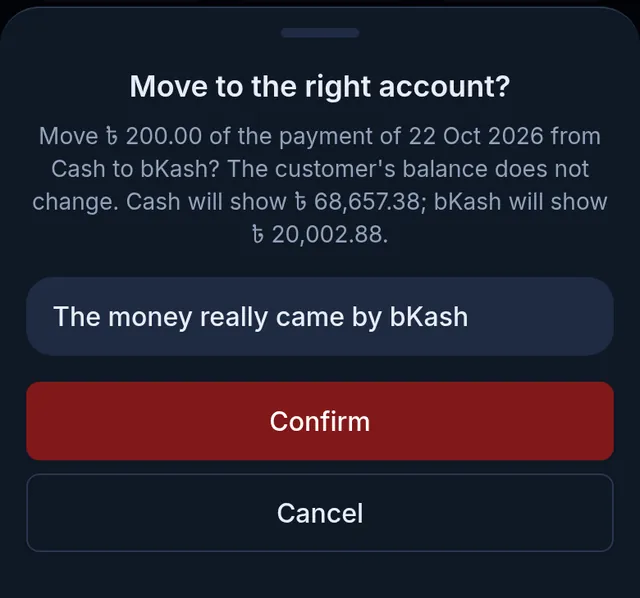
- Right money, wrong account: the money moves to the account it really went into. What the customer owes does not change.
- Right money, wrong customer: the money moves to the খাতা of the customer who really paid. It stays in the same account.
- How much is filled in with the whole payment. If only part of it was wrong, lower it.
- For a wrong account, choose The account it really went into. For a wrong customer, type at least two letters or digits of their name or phone under The customer who really paid and pick them.
- Write the Reason. Only your shop sees it; the customer's statement shows a standard line instead.
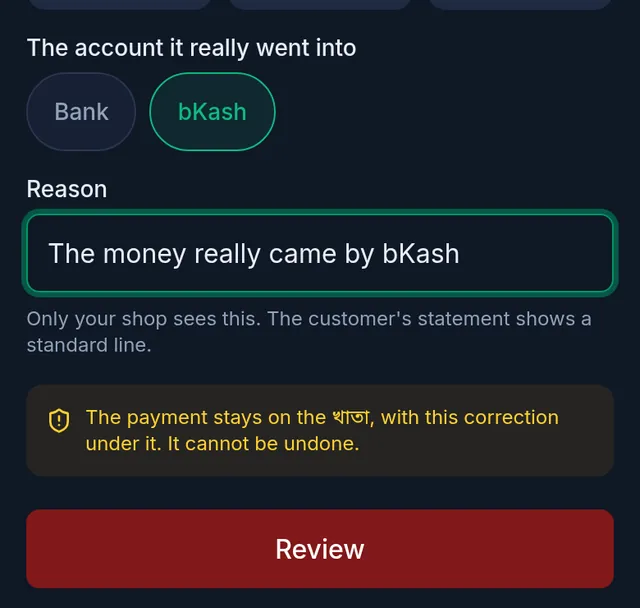
- Tap Review. The confirmation says what will change: who will owe what, and what each account will show. If it is right, tap Confirm.
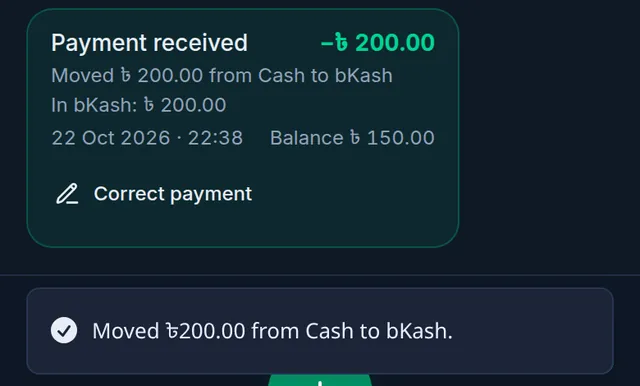
The payment stays in the খাতা with a line under it saying what was done and where the money is now.
What happens to the money:
- Money never came: the account shows that much less. If the account had been counting money that never came, it can show below zero; the confirmation tells you first.
- Wrong account: the money moves from one account to the other.
- Wrong customer: the first customer owes that much again, and the customer who really paid owes that much less. Their খাতা shows the payment as moved from the other customer, and it can be corrected again later if needed.
- Sales, profit, VAT and stock never change.
If something goes wrong
I do not see Correct or Correct payment. Only the shop's owner sees them. If you are the owner: the entry may be a sale's due (fixed with a return or a void), or it has already been corrected in full.
It says "A correction can only lower an entry. To add more, record a new Credit given." If more was owed, write a new credit given.
It says "This entry was corrected meanwhile. Check it again before correcting." It was corrected a moment ago on another phone or computer. Look at the খাতা again; the new figures are there.
It says "Nothing can be lowered now: the customer has already paid it, or it is cash on delivery a rider will collect." The customer has already paid it. Tukri does not turn a correction into money owed back to the customer.
It says "This payment was corrected meanwhile. Close the sheet and check it again." or "This payment has already been fully reversed or moved." The payment was corrected a moment ago somewhere else. Close the sheet and look at the খাতা again.
It says "This payment was saved by an older version of Tukri without a link to its money account, so it cannot be corrected safely. Nothing was changed." A few very old payments cannot be corrected this way. Contact Tukri support if you need help with one.
The customer paid more than I recorded. Record the rest as a second payment with Collect a customer's due; that money really came in.
Watch the video

What the video says
A customer took goods on due without making a sale? Or did you write something wrong in the খাতা? Let's look at both.
Open Due Book from the bar at the bottom, then tap the customer's name. Tap Credit given at the bottom.
Type the amount on the keypad. Write what the due is for, or tap one of the ready-made words below. Leave the date empty and it is written for today, or you can pick yesterday's date.
Tap Add to the খাতা, then Yes, add the due. The customer's due goes up by that much. This is not a sale, so stock and cash do not change.
A খাতা entry cannot be deleted or edited. If it is wrong, the shop's owner fixes it. Tap Correct under the wrong entry.
Type what the right amount was. Below, it shows how much the due goes down. Then write the reason and tap Review. If it is right, tap Yes, correct it. The original entry stays, and the correction is written below it.
If a payment was recorded wrongly, tap Correct payment under it. Now choose what went wrong: Money never came, wrong account, or wrong customer. For a wrong account, choose the right account. Write the reason, review it and confirm. The money moves to the right account.
Keep your dues clear and simple, tukri.bd
Related articles
- Record credit given without a sale (বাকিতে দেওয়া) When a customer takes goods or money on credit without a sale at the till, write it in their খাতা: how much and what for. Only their due goes up.
- Collect a customer's due When a customer pays their due, record it in their খাতা: how much, and whether it came in cash, to the bank or by mobile banking. The due drops at once.
- Add a new customer's previous due Bring in what a customer owed you before Tukri, once, as a previous due when you add them. Only the shop's owner can do it.
- Download a customer's statement or share their খাতা Download a customer's whole due history as a PDF statement, or send them a read-only link on WhatsApp. A link stays open for 30 days.
- Return items or void a sale Take some items back with a cash refund or store credit, or cancel a wrong sale altogether. Either way the stock and money are put right by themselves.
Still need help?
Write to us, call or send a WhatsApp message, and someone from Tukri will help you.
