

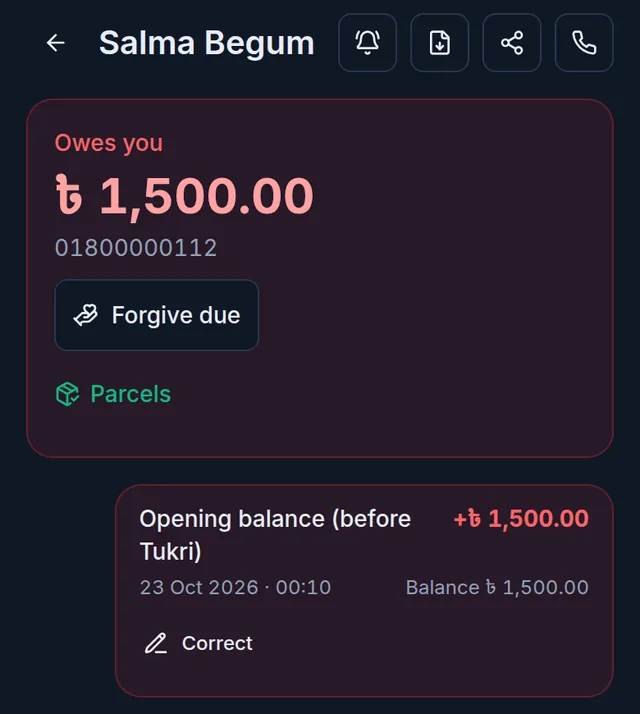
For customers whose dues are written in your paper ledger, bring the old amount in as a Previous due when you add them to Tukri. It becomes one entry in their খাতা, Opening balance (before Tukri), and every later due and payment counts from it. It is not a sale: no invoice, no stock and no cash.
Before you begin
- You must be the shop's Owner. Other roles do not see the field, though they can add the customer.
- A previous due can be entered only once, when the customer is added. Editing a customer never shows the field.
Enter the previous due
- Open the form to add a customer and type their name and phone.
- Type the old amount in Previous due, in taka with up to two decimal places, at most one crore taka.
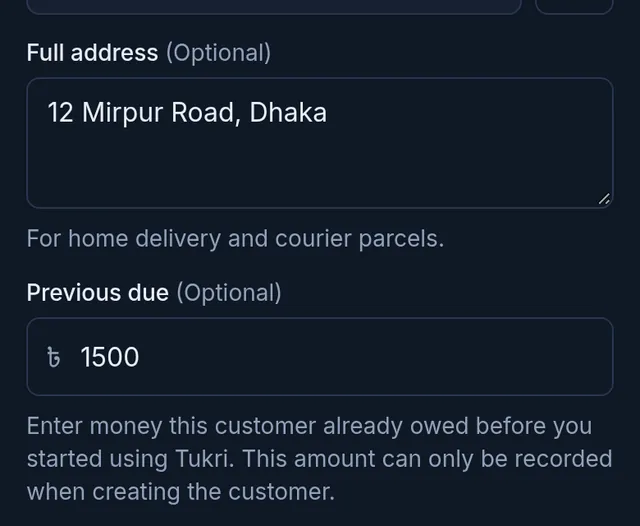
- Choose Save.
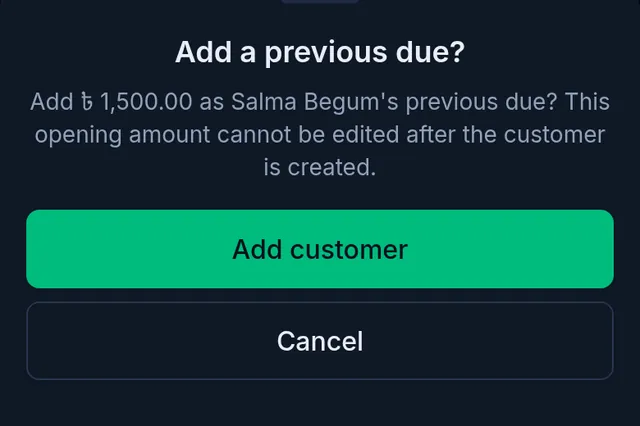
- Add a previous due? appears with the amount and the name. If it is right, choose Add customer; if not, Cancel takes you back to the form.
What happens next
The customer's খাতা shows the Opening balance (before Tukri) entry, and that amount is now what they owe. Sales on due add to it and payments you collect take it down.
If something goes wrong
I typed the wrong amount. A previous due cannot be edited. If it is too high, the owner taps Correct on that entry in the খাতা and types what it should have been; the correction shows as its own entry under the original. If it is too low, add the rest as Credit given.
The customer already exists. The field does not appear any more. Open their খাতা and use Credit given, noting that it is their old balance. The receivables aging report counts it from the day you write it.
The amount is refused. Type a plain number such as 3500 or 3500.50, at most one crore taka.
Watch the video

What the video says
Adding a new customer to Tukri? With their old due too? Let's see.
Open Customers from the menu at the bottom. Then tap the round button in the middle.
Type the customer's name and phone number; both are required. Add an area and full address if you like; they help with home delivery or a courier.
If they owed you before Tukri, type it in the Previous due box. Only the shop's owner sees this box, and only when adding a new customer. Set a Due limit if you like; when it's passed, Tukri warns you as you sell.
Now tap Save. With a previous due, Tukri asks you once. Check the amount and the name; it can't be edited later. If it's right, tap Add customer.
Done, the customer is in the list, and the previous due is in their খাতা. This isn't a sale, so stock and cash aren't touched. A sale on due adds to the due, a collection takes it down.
All your customers' accounts in one place, tukri.bd
Related articles
- The Due Book (তালি খাতা): see who owes you and how much See in one place how much your customers owe you. Each customer's খাতা lists every sale on due, payment and other entry, with dates and balances.
- Record credit given without a sale (বাকিতে দেওয়া) When a customer takes goods or money on credit without a sale at the till, write it in their খাতা: how much and what for. Only their due goes up.
- Correct a wrong Due Book entry or payment When credit given or a previous due was typed too high, or a payment went to the wrong account or customer, the owner corrects it. The original stays.
Still need help?
Write to us, call or send a WhatsApp message, and someone from Tukri will help you.
