

On this page
The Receivables aging report lists every customer who owes you money and how long that money has been owed: 0–30 days, 31–60 days, 61–90 days and over 90 days. Dues from before you used Tukri get their own column. It tells you whom to ask first.
Before you begin
- The Owner and Admin roles can see reports. The Staff role has none.
- A role you made yourself only needs Open reports for this report.
Open the report
- Open the list of reports.
On a computer
Click Reports in the menu on the left.
On a phone or tablet
Open Reports from Menu.
- Tap Receivables aging, near the bottom of the list.
- The boxes at the top total each age across all customers: 0-30 days, 31-60 days, 61-90 days, 90+ days and, when someone still owes a due from before Tukri, Before Tukri (age unknown).
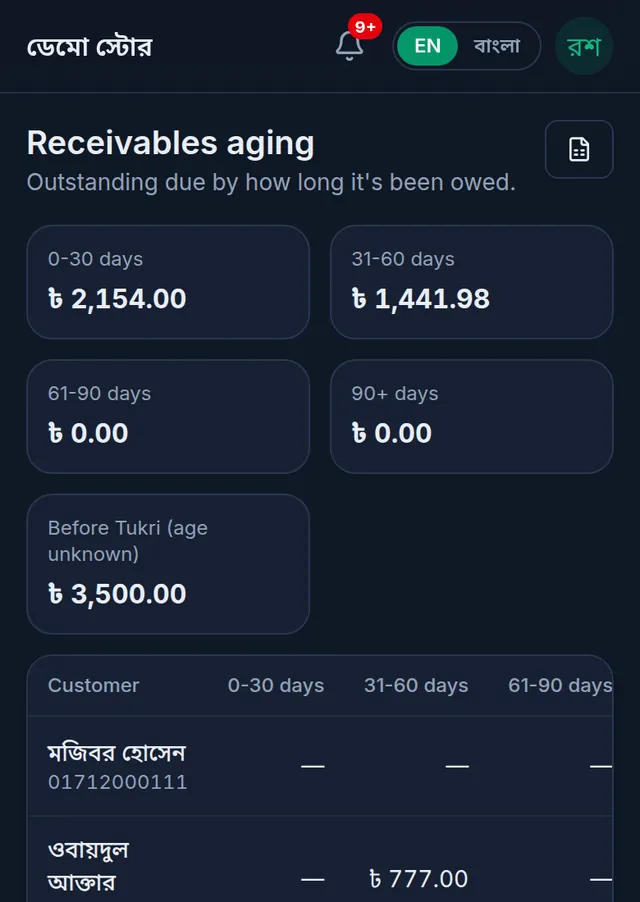
- The table lists everyone who owes you, the largest due first. Each row has the name, phone number, the amount in each age and the Total due. On a phone, swipe the table sideways to see the whole row.
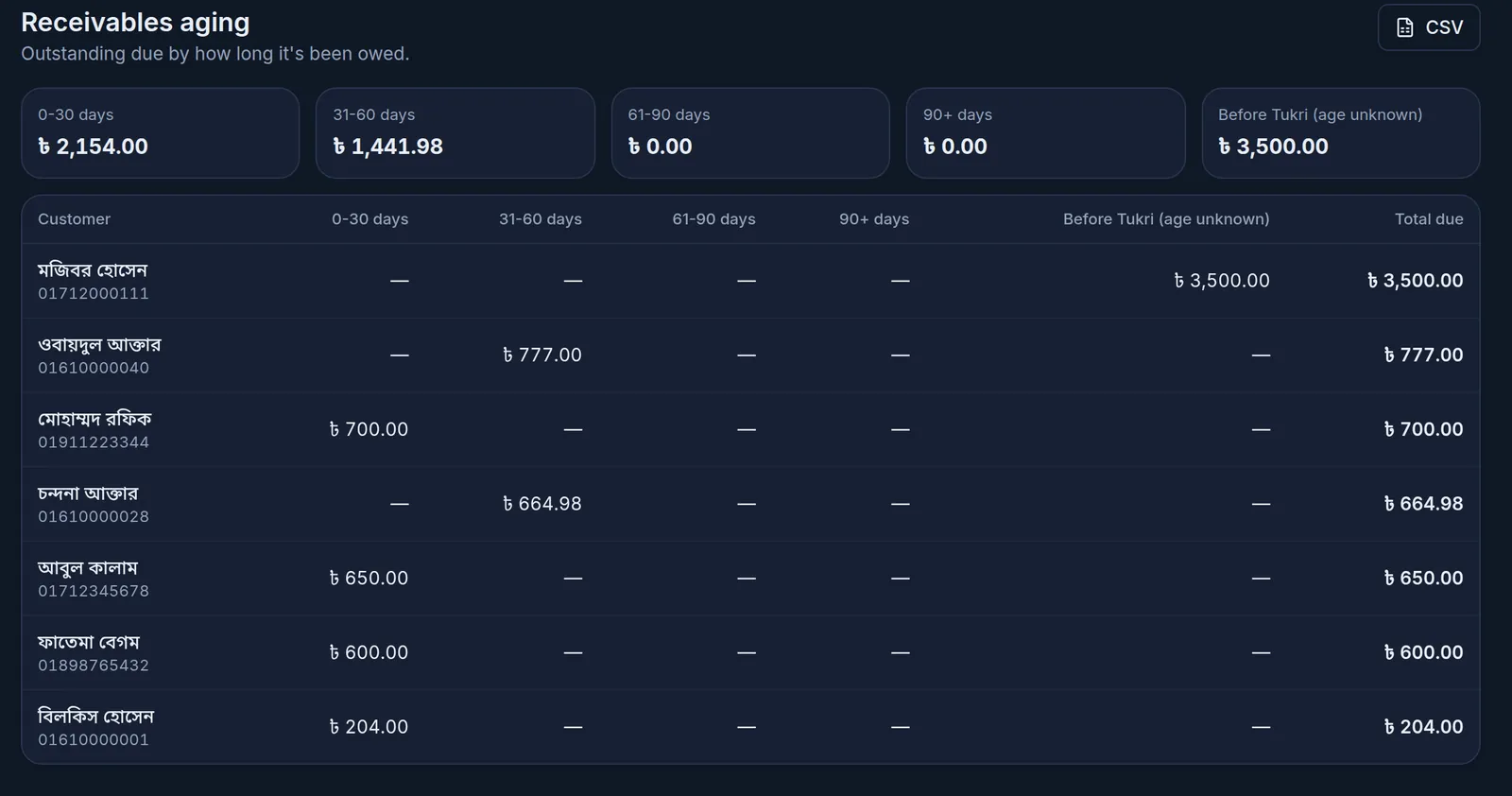
It shows the situation right now, so there is no period to choose. Days are counted back from today, Bangladesh time.
How the age is worked out
- Each due counts from its own day: the day of the sale on due, or the day credit was written in the Due Book.
- When a customer pays, the oldest due is cleared first, so what is left is the newer due.
- A previous due entered when the customer was added has no known age, so it goes in the Before Tukri (age unknown) column. Payments clear it first. The column only shows when someone still owes such a due.
- A return or a voided sale clears that sale's own due, and a due the owner forgives clears the charges it was for, so the other amounts keep their age.
- A payment the owner reverses counts as if it had never been recorded, so whatever it had cleared is owed again from its own date.
What to do next
Remind the customers with the oldest dues first: see Remind a customer about their due. When they pay, collect the due; the report changes straight away.
CSV at the top right downloads the whole list as a file for Excel or Google Sheets. There is no PDF of this report.
If something goes wrong
A customer is not listed. They owe nothing right now, or they have paid more than they owe and hold an advance.
A very old due is not under 90+ days. A customer's payments clear their oldest due first. If they have paid since, the old due was cleared and a newer one is what remains.
There is no Reports in the menu. Your role does not have Open reports. Ask the owner.
Watch the video
What the video says
At the end of the month, a profit or a loss? Who owes you, and for how long? Tukri's reports have every answer.
Click Reports in the menu on the left. The list of all reports opens.
Profit & Loss is at the very top. Choose the period at the top: Today, This week or This month. For other dates, tap Custom. Revenue minus what the goods cost is the Gross profit, then minus the shop's expenses, the Net profit. Green for a profit, red for a loss.
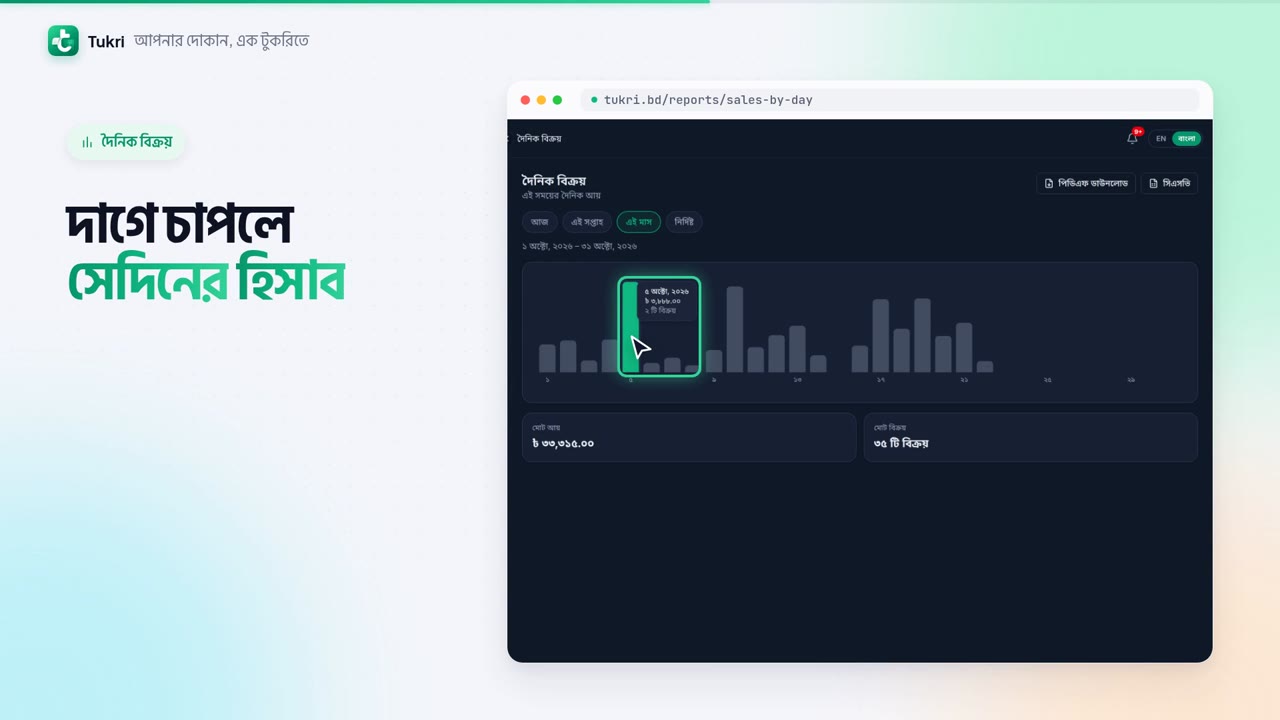
Sales by Day shows each day's sales in a chart. The best day for sales is green. Tap a bar to see that day's figures. Below are the Total revenue and the number of sales.
Stock Valuation shows what your goods cost you, and what they would sell for. If you keep batches and expiry dates, there is an expiry report too.
In Receivables aging you see who owes how much, and for how long. Remind those with the oldest dues first.
There are download buttons at the top right, too. Reports are for the Owner and Admin.
See your accounts at a glance, tukri.bd
Related articles
- Collect a customer's due When a customer pays their due, record it in their খাতা: how much, and whether it came in cash, to the bank or by mobile banking. The due drops at once.
- Remind a customer about their due Send reminder in a customer's খাতা opens a message with their due already written. Send it by SMS or WhatsApp from your own phone, or copy it.
- Add a new customer's previous due Bring in what a customer owed you before Tukri, once, as a previous due when you add them. Only the shop's owner can do it.
Still need help?
Write to us, call or send a WhatsApp message, and someone from Tukri will help you.
