

On this page
Your plan decides what your shop can use: how many team members, products and invoices a month, and whether the AI shop assistant and the Delivery Hub are included. Everything about it is in Settings › Plan: your plan and its end date, what you have used, every plan with your shop's price, and the buttons to pay, renew or change plan. Prices and limits can change, so they are not listed here: check the plan page or Tukri's pricing page.
Before you begin
- Only a member who can manage the subscription can open the plan page: by default only the shop's Owner. Other members still see the trial or expiry strip at the top of the app; they should ask the owner.
See your plan
- Open Settings › Plan. During the trial, tapping the strip at the top of the app opens it too.
On a computer
Click Settings in the menu on the left, then Plan in the settings list.
On a phone or tablet
Tap Menu in the bar at the bottom, then Settings. In the row of buttons at the top, tap Plan; slide the row sideways if you do not see it.
- Under Current plan you see the plan's name and one badge: Trial, Active, Expired or Free plan. The line under it gives the end date and the days left.
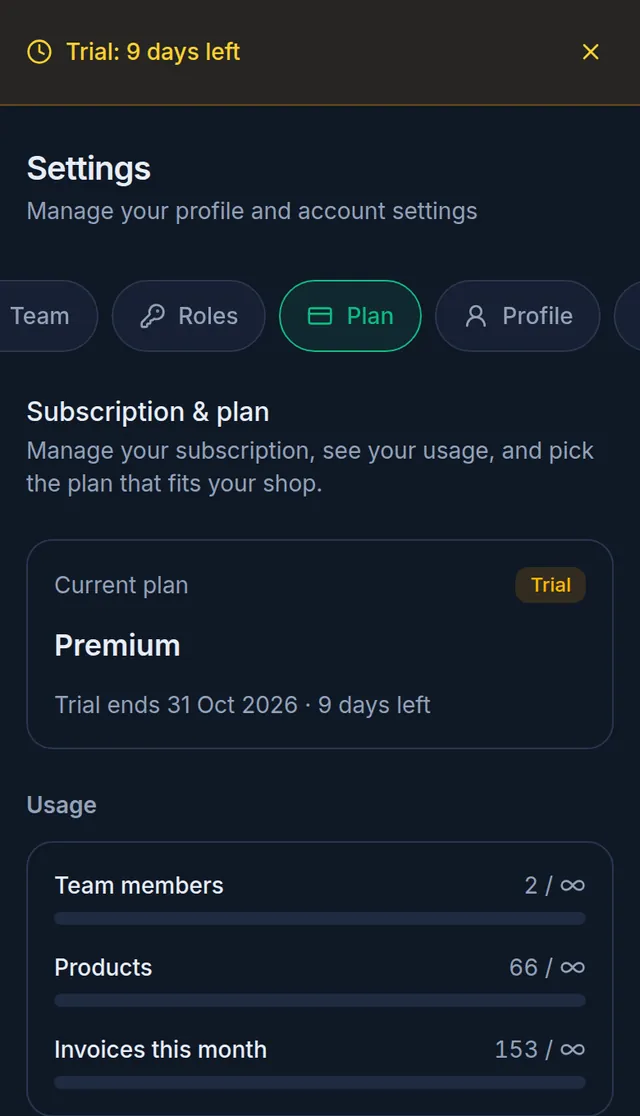
- Usage shows your team members, products and this month's invoices against your plan's limits. The infinity sign means Unlimited.
- Plans lists every plan you can choose, with your shop's price, its limits, and AI shop assistant or Delivery Hub (courier parcels) where the plan includes them.
- Receipts, at the bottom, lists your payments; PDF downloads a receipt.
The free trial
Every new shop gets one free 14-day trial of the Premium plan, with no card needed, and nothing is charged by itself when it ends. A strip at the top of the app counts down the days; you can close it with the × at its end. A shop gets one trial only: changing plans does not start another.
When the trial or a plan ends
- On the end date the badge changes to Expired. Normally an amber strip then counts down a few more days before the shop becomes read-only, with a Renew button. Selling and all other work still go on during those days.
- The AI shop assistant and starting new Delivery Hub work stop on the end date itself.
- When those extra days run out, the shop becomes read-only. A red strip says "Subscription expired — upgrade to keep selling." with an Upgrade button. You can still open and download everything, but selling and other changes are paused until you pay for a plan or switch to the Free plan. Nothing is deleted.
Pay, renew or change plan
- Open Settings › Plan.
- If they are shown, choose Monthly or Yearly, and type a Coupon code if you have one.
- Tap the button on the plan's card. Before you pay, the card shows the amount and the dates the period will run.
- Renew, on your current plan: pay for another period. If you renew early, the new period starts when your paid days run out. During the trial or after a plan has ended, it starts when you pay; trial days are not added on.
- Subscribe, on another plan, when no paid period is running.
- Upgrade: move to a bigger plan while a paid period is running. You pay only the difference for the time you have left, and your end date stays the same.
- Downgrade: move to a smaller plan at the end of the current period, with nothing to pay now. Cancel downgrade undoes it.
- Switch to Free, on the Free plan's card (see below).
- If more than one way to pay is open, choose one under "Choose a payment method"; with only one, you go straight to it. Finish on the payment page: with bKash, approve the payment and enter your PIN.
- Back on the plan page you see "Payment received — your plan is now active.", or "We are confirming your payment. Your plan will activate shortly." while it is being confirmed.
Which ways to pay appear depends on what Tukri has open at the time. If a plan's card says "This plan needs to be paid for. Please contact us to activate it.", it cannot be paid online right now: contact Tukri support to pay.
bKash quick pay
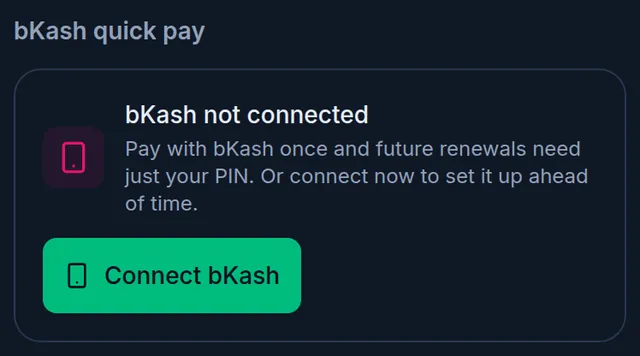
When bKash is open, the plan page has a bKash quick pay section.
- Connect bKash links your bKash wallet once, on bKash's own page, with no charge. After that, a bKash payment needs only your PIN. Your first bKash payment normally links the wallet too.
- Disconnect asks first, then removes the link. Your plan does not change.
- bKash is never charged by itself: you still pay from the plan page each time.
The Free plan
The Free plan has no end date while Tukri keeps it available, and has its own limits. When no paid period is running (during the trial, after a plan has ended, or while the shop is read-only), its card shows Switch to Free. It switches at once, with no payment: "You are now on the Free plan. It has no expiry while Tukri keeps it available."
If something goes wrong
There is no Plan in my Settings, or the page shows an error. Your role cannot manage the subscription. Ask the shop's owner.
"Payment was cancelled. No changes were made to your plan." Nothing was charged. Try again.
I paid, but the plan has not changed. Wait a few minutes and open the plan page again. If money left your account and the plan still has not changed, do not pay again: contact Tukri support with the bKash transaction ID.
The shop is still read-only after paying. Open the plan page again. If the badge still says Expired, contact Tukri support with your payment details.
"bKash is not available right now. Please try again later." Try again later.
Watch the video
What the video says
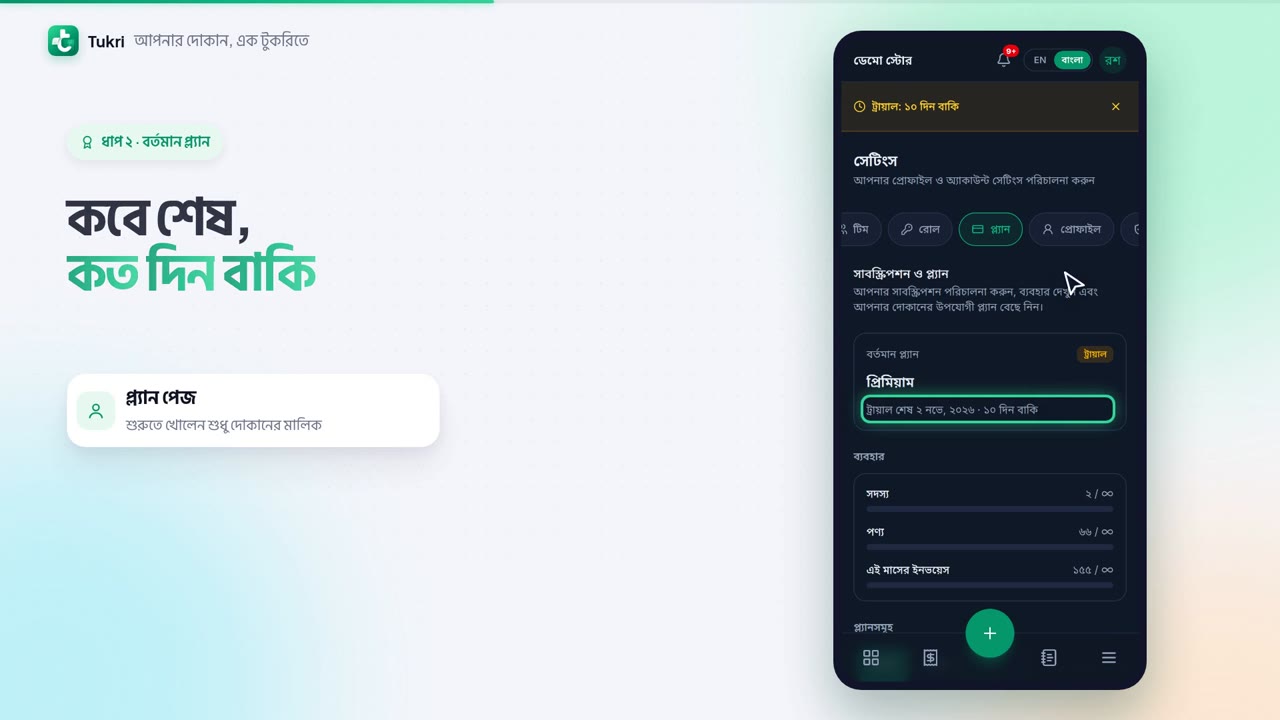
When does your plan end? How do you renew it? Let's look at the plan page.
During the trial, the yellow strip on top shows how many days are left. Tap the strip to open the plan page. Or Settings from the Menu, then the Plan tab.
Current plan shows the name and a badge, such as Trial. Below: when it ends, and the days left. Usage shows members, products and invoices against your plan's limits.
Below are all the plans, with your shop's price and limits. Choose Monthly or Yearly. Then tap the plan's button, such as Renew. The card shows how much you will pay. With bKash, approve the payment and enter your PIN.
A few days after the end date, the shop becomes read-only. You can see everything, but selling is paused, and nothing is deleted.
You can move to the Free plan without paying, but doing that during the trial ends the trial.
tukri.bd
Related articles
- Your Dashboard: today's sales, cash and alerts The Dashboard shows today's sales, cash received, profit and new due, quick buttons to sell or buy stock, the last 7 days and the products running low.
- Invite a team member Give your staff or an admin their own sign-in: invite them by email or phone number from Settings, Team, and share the join link yourself if you like.
- Turn on the Delivery Hub To send parcels with your own courier accounts, turn on the Delivery Hub in Settings, Features. Also: why Delivery may be missing from the menu.
Still need help?
Write to us, call or send a WhatsApp message, and someone from Tukri will help you.
