

On this page
The Sell screen (the till) keeps working when the internet drops. A sale completed without internet waits on your phone or computer and is sent to Tukri by itself (synced) when the connection comes back. If the connection drops at the moment you complete a sale, it is kept the same way. Every screen other than the till needs internet.
Before you begin
- On every phone or computer you want to sell from offline, open the till once with internet first. That saves the product and customer lists on the device; each later visit with internet keeps them up to date.
- Each person who sells offline must open the till with internet at least once after logging in on that device. That is when Tukri confirms which account is selling.
- When the connection drops, stay on the till: it keeps working.
- To open the till again with no internet, the device needs a saved copy of the till page. The copy is made when the till is opened as a whole page with internet: from the "New Sale" shortcut on the Tukri icon, by typing its address, or by reloading the till. Tapping into it from another Tukri screen does not make one. Logging out removes the copy.
Sell without internet
- On the till, put products in the cart and take payment as usual, then tap Complete sale.
- The screen shows Saved offline: "This sale is queued and will sync automatically once you're back online. Tukri can save it only within 30 days."
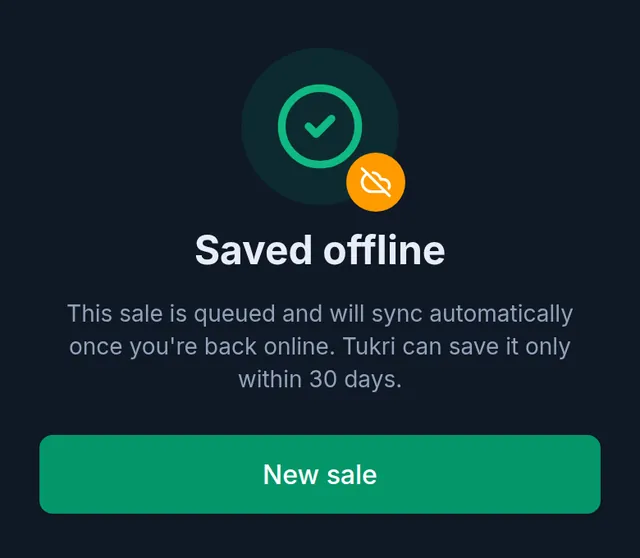
- Tap New sale for the next customer.
- While you are offline, or while any sale is still waiting to be sent, a small button shows at the top beside the bell: a crossed-out Wi-Fi icon and the number of your sales not yet sent.

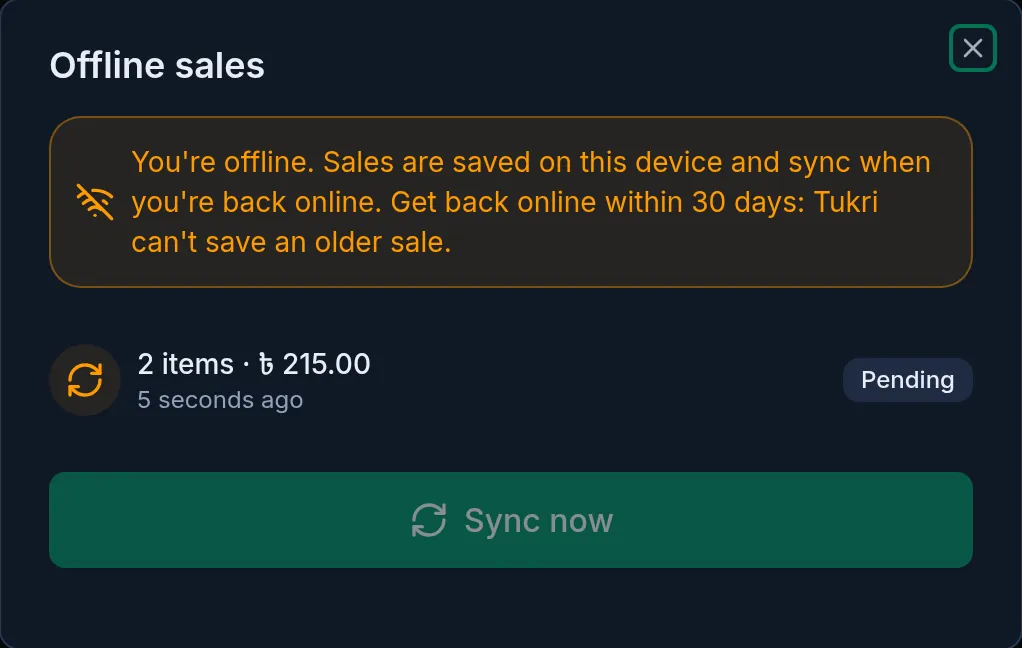
- Tap it to open Offline sales. Each sale is listed with its items and amount; one waiting to be sent says Pending.
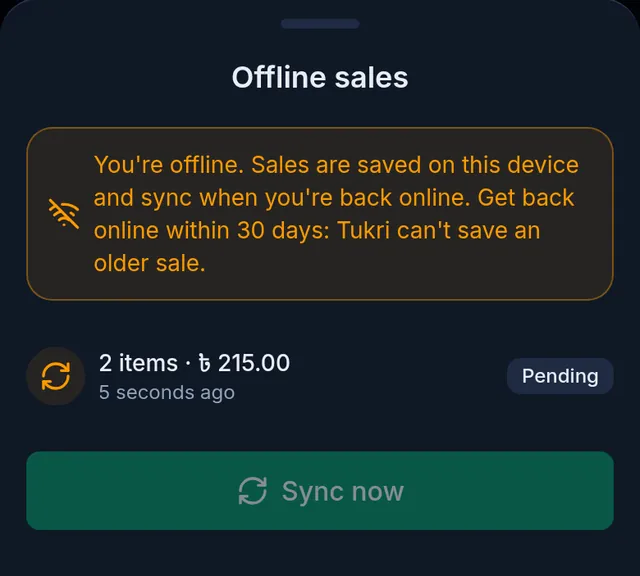
- When the connection comes back, the sales are sent by themselves, and also whenever Tukri is opened or brought back to the front. To send them straight away, tap Sync now. When everything is sent, the button disappears.
Offline, you can attach a customer already saved on the device, or add a new customer; a new customer is created in Tukri when the sale syncs.
After a sale syncs
- It appears in Sales with the time it was really made. The stock and money are updated then too.
- No receipt prints for a sale made offline. Once it has synced, open it from Sales and print it: Print, download and share an invoice.
- However many times a sale is sent, Tukri saves it once; it is never recorded twice.
What needs internet
- Every screen other than the till: Dashboard, Products, the Due Book, reports, settings and the rest.
- Spending loyalty points. A bill that spends points is not saved offline; take the points off, or wait for the connection.
- Hold to park a bill. Offline, the cart simply stays on the till.
- Price and stock changes made on another device reach this one only once it is back online. Selling offline does not lower the stock shown on the till; Tukri checks the stock again when each sale syncs.
If something goes wrong
"This device hasn't confirmed your account for offline selling yet, so the sale was not saved. Connect to the internet once, then try again — the cart is still here." The till has not been opened with internet since you logged in on this device. Connect once and try again; the cart stays as it was.
Opening Tukri offline shows the offline page. Opening Tukri from its icon starts on a screen that needs internet. Open it with the "New Sale" shortcut (on a phone, press and hold the icon) or the till's address instead. That works once the till has been opened as a whole page with internet (see above).
A sale shows Failed. Tukri refused that sale, and the reason is shown under it. It is usually stock: another device sold the same stock first, or more was sold than was in stock. Sort out what the reason says (for example, record the purchase when the goods arrive), then tap the retry button on that sale and Sync now. Only use the bin to remove a sale that really should not be recorded.
Sales are stuck waiting, with a message about the subscription or your account. The sales are fine and stay on the device. If it is the subscription, they sync by themselves once the owner sorts out the plan; if it is your account, ask the shop owner. Do not delete them.
Several people sell on one device. Each offline sale is sent only by the account that rang it up, and saved under that account's name. Logging out keeps the sales on the device, and they sync when the same account logs in there again. Still, let the count reach zero before logging out.
Watch the video
What the video says
The shop's internet suddenly dropped? Don't worry, selling won't stop.
Even without internet, the selling screen keeps working. Just once beforehand, with internet, open that screen on this phone.
With no internet, at the top beside the bell, you'll see a crossed-out Wi-Fi icon. Still, add products just as before, take payment and complete the sale.
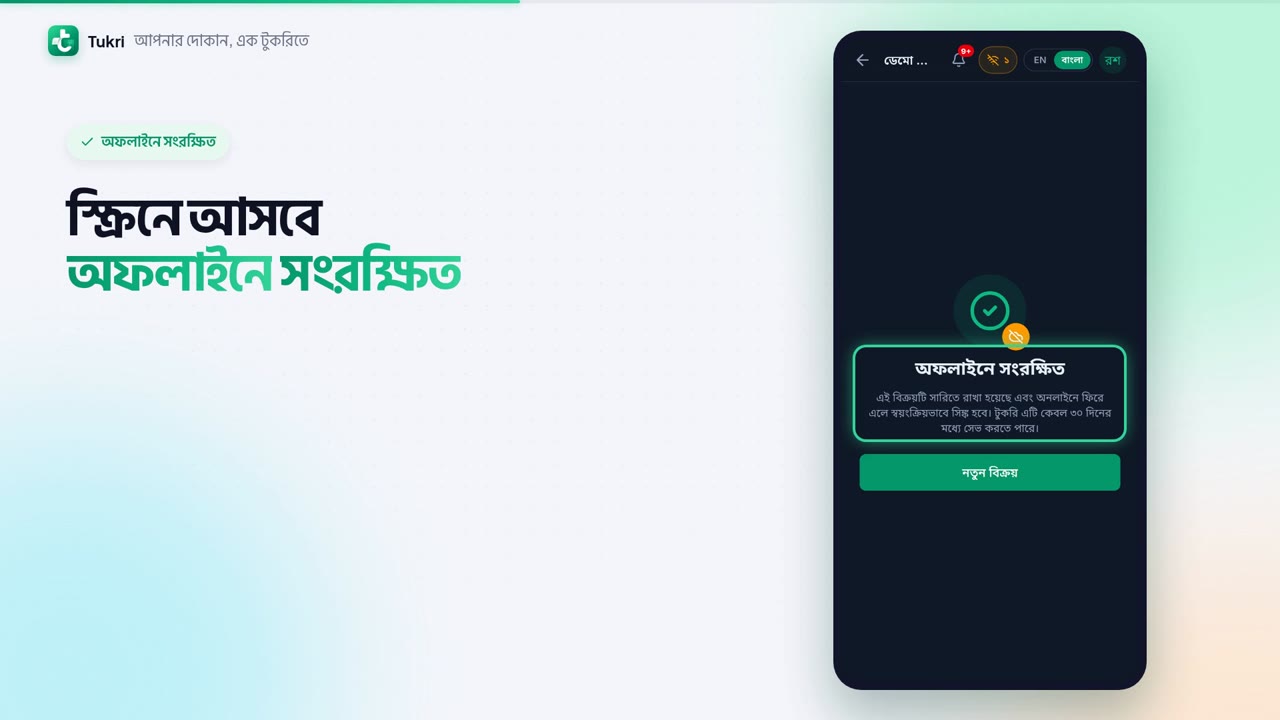
The screen shows Saved offline. The sale is kept on this phone. The number beside the icon tells you how many sales haven't gone yet. Tap it to open the Offline sales list.
When the internet is back, sales sync by themselves. Or tap Sync now to send them right away. Once all have gone, the icon goes too, and the sale appears in your Sales list, with the time it was actually made.
Remember, an offline sale must sync within 30 days. Receipts don't print without internet, and apart from the selling screen, every other screen needs internet.
Internet or not, keep selling, tukri.bd
Related articles
- Use Tukri in Bangla and install it on your phone Switch Tukri between English and বাংলা in one tap, and add it to the home screen of an Android phone, an iPhone or a computer. No app store needed.
- Print, download and share an invoice Print the receipt straight after a sale, reprint or download an A4 or thermal PDF of any past sale, or send the customer a link to the invoice.
Still need help?
Write to us, call or send a WhatsApp message, and someone from Tukri will help you.
