

On this page
The whole Tukri app works in English and in বাংলা, and a small switch at the top changes it in one tap. Tukri can also sit on your phone's home screen like an app, without an app store: the icon opens it full-screen, and the till keeps selling even without internet.
Use Tukri in বাংলা
- On any screen, tap বাংলা on the EN | বাংলা switch at the top right. The whole app changes at once.
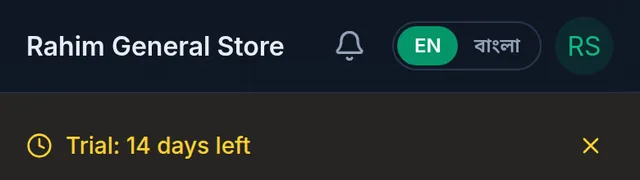
- Your choice is saved to your account, so you get the same language on another phone or computer. Tukri's website and log in page have the same বাংলা | EN switch.
Install Tukri on a phone or computer
On an Android phone
- Open tukri.bd in Chrome.
- Tap the menu (⋮) in the top-right corner.
- Tap “Install app” or “Add to Home screen”.
- Confirm — the Tukri icon appears on your home screen.
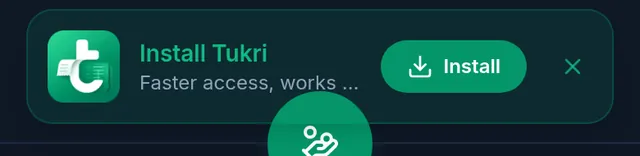
When you are logged in, an Install Tukri card may also appear at the bottom of Tukri; its Install button does the same.
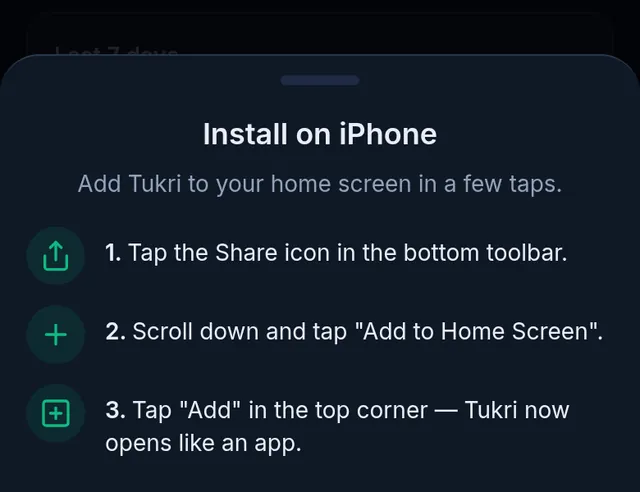
On an iPhone or iPad
- Open tukri.bd in Safari.
- Tap the Share button at the bottom.
- Choose “Add to Home Screen”.
- Tap “Add” — the Tukri icon appears on your home screen.
When you are logged in, Install on Tukri's Install Tukri card opens Install on iPhone with these same steps.
On a computer
- Open tukri.bd in Chrome or Edge and log in.
- If the Install Tukri card appears at the bottom, click Install. If it does not, click the install icon at the right of the browser's address bar, when there is one.
- You can also use all of Tukri in the browser without installing anything; there is no separate program to download.
After installing
- Tapping the Tukri icon on your home screen opens it full-screen, without the browser's address bar.
- Updates arrive by themselves. If Update now ever appears in your name's menu, tap it.
- Once the till has been opened online, you can sell without internet: Keep selling when the internet drops.
If something goes wrong
The install card no longer appears. Closing it with ✕ hides it for good in that browser, and it never shows once Tukri is installed. Install with the steps above, or see tukri.bd/download.
There is no "Install app" in the menu. Make sure you opened tukri.bd in Chrome on Android. Other browsers may name it differently: look for "Add to Home screen".
Watch the video
What the video says
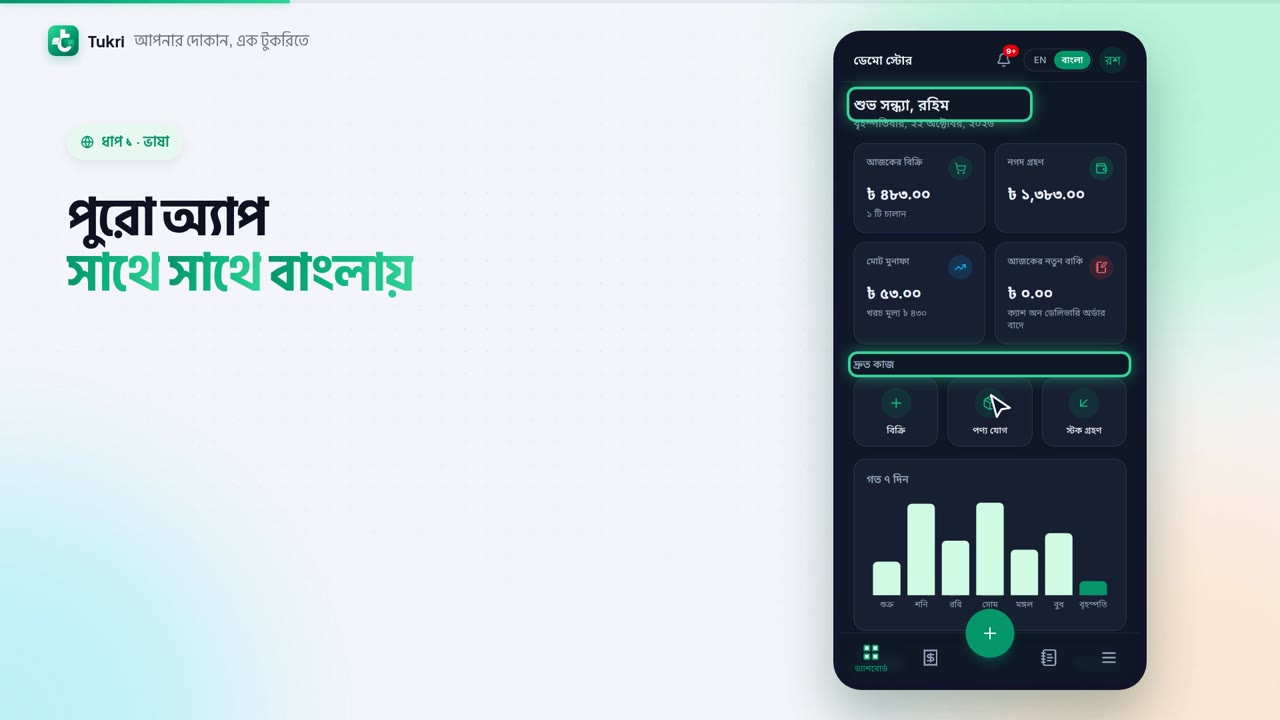
Want to use Tukri in Bangla? And keep it on your phone like an app? Let's do both.
At the top right of any screen, there's a switch for EN and Bangla. Tap Bangla, and the whole app changes to Bangla at once. Your choice is saved to your account.
Now install it, no Play Store needed. On Android, open tukri.bd in Chrome. Tap the menu in the top-right corner, then tap Install app or Add to Home screen. If this card appears at the bottom inside Tukri, you can also just tap Install.
On iPhone, open tukri.bd in Safari. Tap Install on the card, and Tukri shows you the steps. Tap the Share button at the bottom, then Add to Home Screen, and finally Add in the top corner. This doesn't work in the browser inside Facebook, so open it in Safari first.
Now just tap the icon on your home screen, and Tukri opens full-screen. Once you've opened the till online, you can keep selling without internet.
In Bangla, right in your hand, tukri.bd
Related articles
- Keep selling when the internet drops The till keeps working without internet. Sales wait on your device and sync to Tukri by themselves once you are back online; other screens need internet.
- Create a Tukri account, log in and log out Open a free account with your email and phone or with Google, log in, reset a forgotten password and log out.
- Update your shop's name, phone, address and logo Change your shop's name, phone number, address, logo, default language and Bengali digits in Settings, Shop. One Save button stores every tab.
Still need help?
Write to us, call or send a WhatsApp message, and someone from Tukri will help you.
